


'Not Applicable' values in datasheets
The Not Applicable flag may be used to allow missing data to be distinguished from data that is simply not applicable in a specific record, in datasheets and in searches.
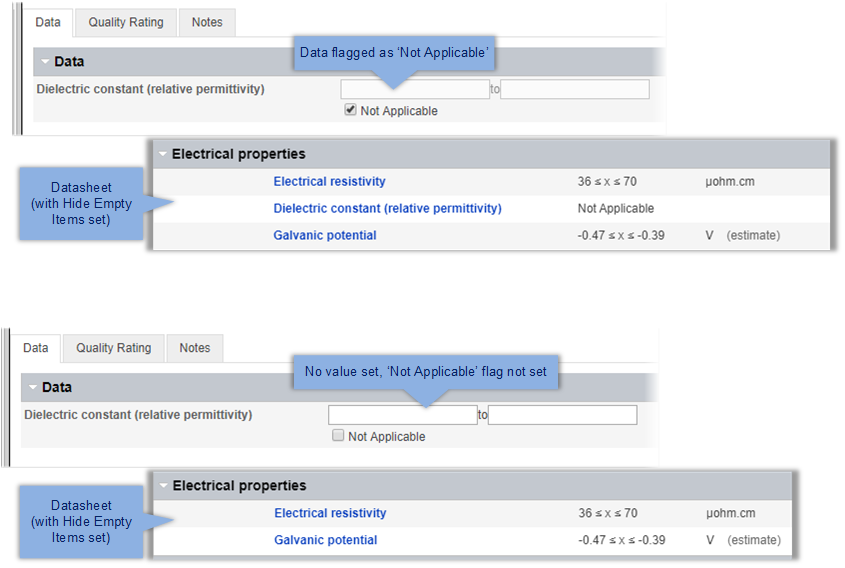
Where the Not Applicable flag set for an Attribute in a record, Not Applicable is displayed in place of a value on the datasheet (in Summary and Full views). Attributes flagged as Not Applicable will be visible on the datasheet even when empty items are hidden.
For example, the Attribute Dielectric Constant here may be given the value Not Applicable for some electrical conductors (for example, metals), since the dielectric constant is only relevant for electrical insulators.
When searching records, a criteria search on the Attribute can distinguish between records where data is missing, and where the Attribute is flagged as Not Applicable. You can choose whether Not Applicable values are considered in searches or not via the option Pass not applicable on the MI Viewer Settings page see Search Options.