


Viewing empty items in datasheets
'Empty' Attributes are Attributes for which no data exists. By default
By default, Attributes and Meta-attributes that have no data (that is, they are 'empty') are not displayed on the datasheet.
For example, in this record, there are no dielectric or dissipation data, and so these Attributes do not appear in the datasheet when empty items are hidden:
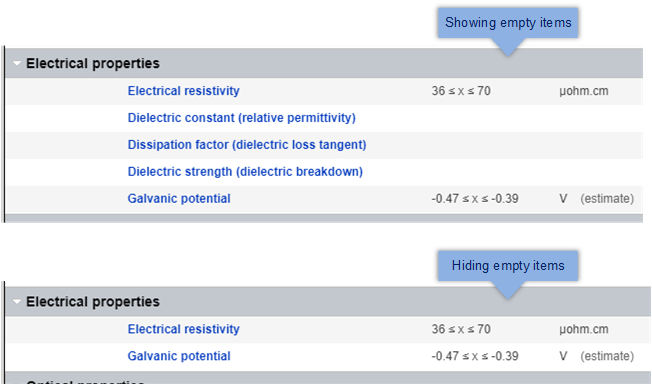
To show or hide Attributes and Meta-attributes with no data, use the Show empty items / Hide empty items options on the datasheet View menu. This setting applies to all datasheets in the same table, not just the one you are currently viewing.