Follow these steps to enable cluster mode for Granta MI.
Prerequisites:
- The cluster's SQL instance must have FILESTREAM enabled and configured.
- The cluster's Elasticsearch instance must be configured and running.
- The cluster's load balancer must be up and running.
-
Open MI Server Connection.
-
On the Database tab, click Change and choose the
FILESTREAM (SQL Server) blob storage option.
-
On the Elasticsearch tab, review the connection details for the cluster
Elasticsearch instance.
If Elasticsearch was set up to use a self-signed certificate during install,
then you will need to add the certificate authority (CA) certificate that it
used (which can be found in config\certs under the
elasticsearch folder) to your Local Machine Trusted
Certificate Authorities on the node.
-
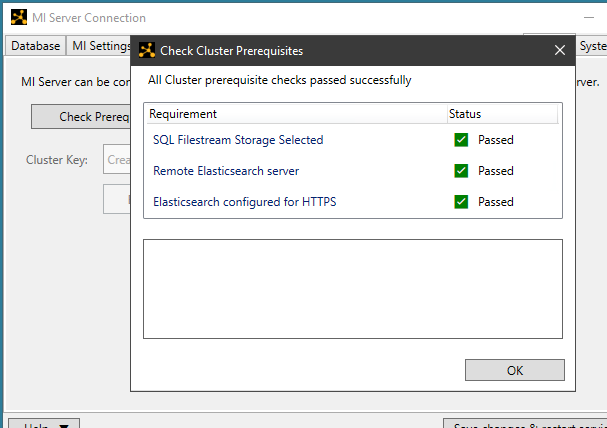
On the Cluster tab, click Check Prerequisites.
If all checks pass, click OK to proceed to the
next step.
-
Specify the cluster key:
- If this is the first node in the cluster, click Generate
Cluster Key.
- If you are configuring an additional node, paste the existing cluster
key into the Cluster Key field.
-
Click Enable Cluster Mode and then click to
confirm.
-
Click Save changes and restart services.


