


Creating a selection project
Selection projects are used in Granta Selector to specify constraints, function, and objective in order to identify candidate materials for applications, and to create materials selection charts that plot one property against another.
Click  Chart/Select on
the main toolbar to open the Selection Project panel.
Chart/Select on
the main toolbar to open the Selection Project panel.
There are four parts to a selection project:
- Selection Data: Choose the database and record subset from which the selection will be made.
- Selection stages: Create one or more stages and set criteria to select appropriate records.
- Results: View and rank the materials that meet your selection criteria.
- Report: Generate reports from the records that pass the specified selection criteria.
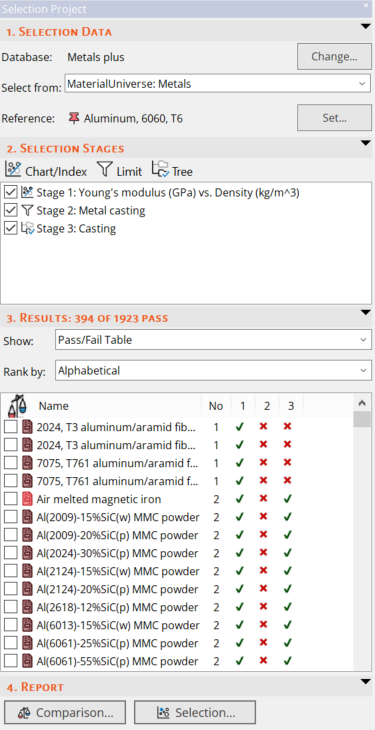
Figure 1. The Selection Project panel.