Browsing a database
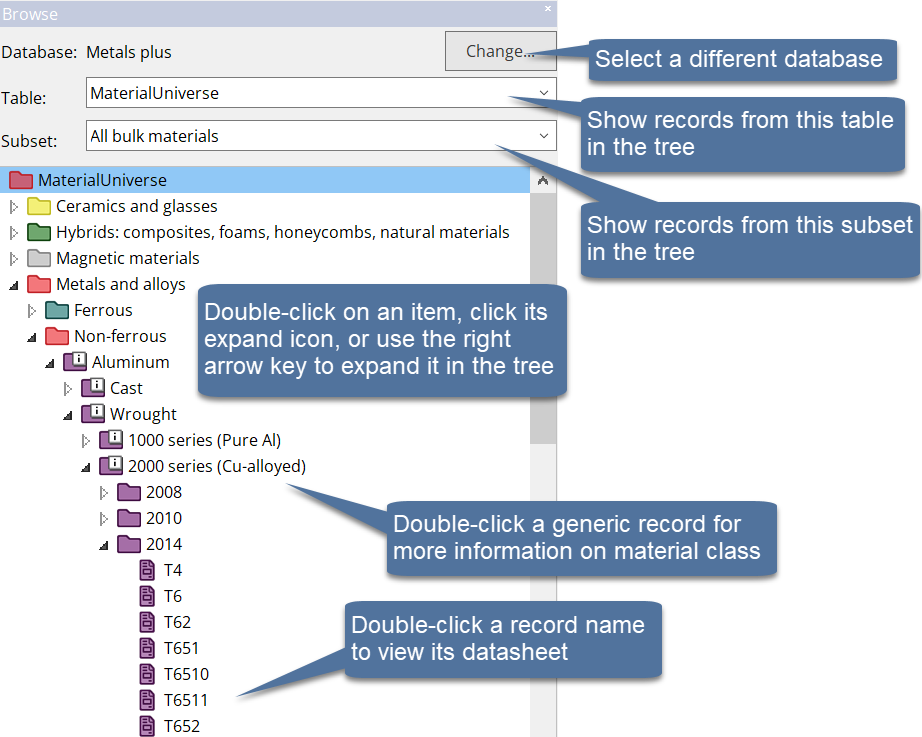
Explore the available databases, and the tables, subsets, and records they contain, using the browse tree.
Click  Browse in the toolbar to show and hide the
Browse panel.
Browse in the toolbar to show and hide the
Browse panel.
- To open a branch, click the expand icon
 or
press the right arrow key.
or
press the right arrow key. - To close a branch, click the collapse icon
 or
press the left arrow key.
or
press the left arrow key. - Use the up and down arrow keys to move through the tree.
- Press the asterisk key (*) on the numeric keypad to display all branches of the browse tree below the highlighted branch.