


Attribute expression
An attribute expression is a mathematical combination of attributes in the database, representing a performance index or a user-defined attribute (for example, specific strength (yield strength/density)). You can plot an attribute expression on a chart axis to compare two complex requirements on one selection chart.
Creating an attribute expression
In the Chart Settings dialog, click Advanced. The expression is displayed in the top pane. To add an operator (plus, minus, multiply etc.) to the expression, click the operator buttons below the expression pane.
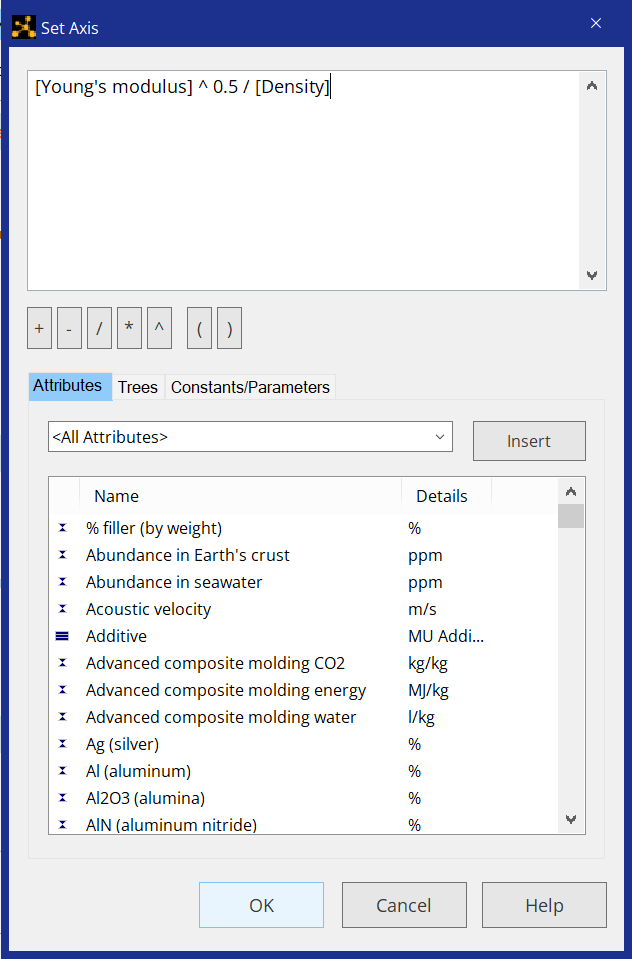
Only numerical attributes, constants, and parameters can be combined in an expression.
You can build an attribute expression by adding attributes, logarithms, constants or parameters, and record branches:
| Adding an attribute to an attribute expression |
The attribute will appear in the top pane. For example: [Young's modulus] |
| Adding a logarithm to an attribute expression |
|
| Adding a constant or a parameter to an attribute expression |
The constant or parameter will appear in the top pane. For example: [Constant:Rest Mass of Electron] |
| Adding record branches to an attribute expression |
The branch will appear in the top pane. For example: [:\Metals and alloys\Precious metal alloys] |