Loading pre-defined search queries
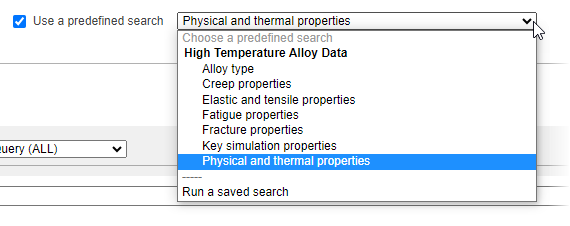
You can use the Use a predefined search feature to quickly load a set of search criteria relevant to a specific query.
There are two different types of pre-defined search queries:
- Search templates provide a set of useful search criteria for a specific type of earch, for example, key simulation properties, or fatigue properties. - quickly add multiple Attributes from the same table to your search. When you select a search template from the Use a predefined search list, the Attributes will be automatically added to the Search for Attributes and data panel, and you can then specify the data values and search thresholds you are interested in. You can then add more Attributes from the same table, remove Attributes, and define additional search criteria such as keywords or record properties, before running the search.
- Saved searches - these are search queries that have been saved to a file (known as a "search project"). See Saved searches.
Ansys reference databases typically include a number of different search templates, and if your Granta MI administrator has defined any additional predefined searches, for example, for searching your company's data, these will also appear in the Use a predefined search list under the relevant database.