Application Options
Application options include how price data, numeric data, and temperature data are displayed in MI Viewer, as well as report settings, and visibility of Withdrawn records in the Contents tree.
Currency
Specifies the currency used to display price data. The currency option will not be present if there is only one available currency.
Display of numbers
There are several options that control how numeric data is displayed in MI Viewer.
| Setting | Description |
|---|---|
| Decimal separator | Specifies the symbol used to separate to separate the integer part from
the fractional part of a number when viewing and entering numeric data. For
example:
The selected decimal separator will override your default browser setting. |
| Significant figures | Specifies the number of decimal places or significant digits to display. The default is 3. |
| Numeric display | Use Scientific notation or Engineering notation. |
| Always use exponential notation | Always display numeric data using exponential notation. |
Results Per Page
Specifies how many results (for example, search results, selection results) are displayed per page. The default is 50.
Maximum number of Attributes on report
Specifies the maximum number of Attributes that can be included in a report. The default is 100.
Use Absolute Temperatures
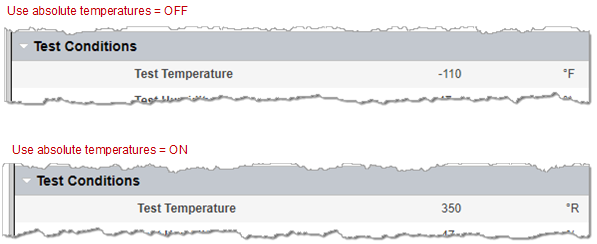
Controls the display of temperature data. When selected, temperature values are displayed as absolute temperatures (that is, Kelvin instead of °C, °R instead of °F).
Show Withdrawn Records
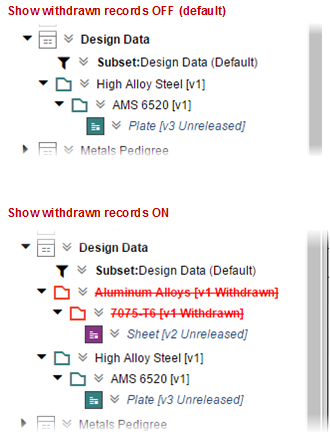
Determines whether withdrawn records in version controlled tables are shown in the contents tree in Edit mode.