


Changing license server connection settings
Use the MI Server Connection tool to view or change the Ansys license server configuration settings on your Granta MI Pro application server.
Go to the Licensing tab to view or change license server configuration settings.
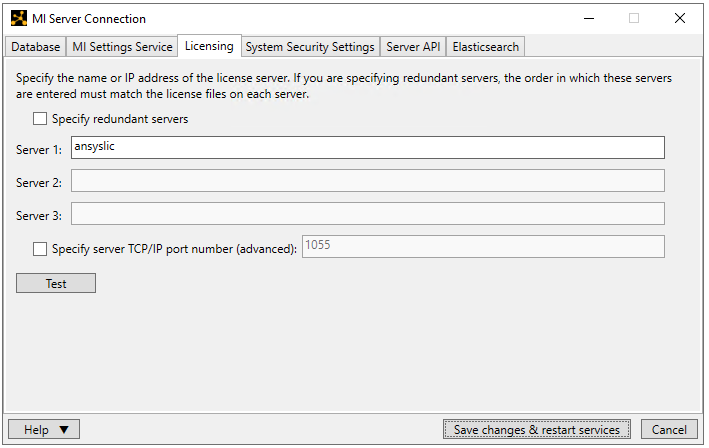
- Server 1: the hostname or IP address of your Ansys license server machine
- Specify redundant servers: to specify redundant servers, select this option and enter the hostname/IP address for the other two servers in the spaces available. The Server 1 machine will be the master server.
- Specify server TCP/IP port number: if the default Ansys licensing port cannot be used (1055), you can specify a different port number here.
Click Save changes & restart service.
For detailed information about Ansys license management, see the licensing documentation on the Ansys Help site at https://ansyshelp.ansys.com/ (you will need to log in with an Ansys customer portal account).