
Component IBIS Matching
Use the Component IBIS Matching window to assign IBIS models to board components. This tool supports both manual and bulk updates, and allows import/export of matching data via *.csv file(s) or command line entry.
Perform IBIS matching before running the Signal Net Analyzer, SIWizard, DDR Wizard, or TDR Wizard. These tools rely on IBIS assignments for simulation setup.
- Open a SIwave project that contains components with IBIS assignments.
- From the Import tab, click Component IBIS Matching.
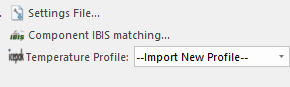
The Component IBIS Matching window appears.
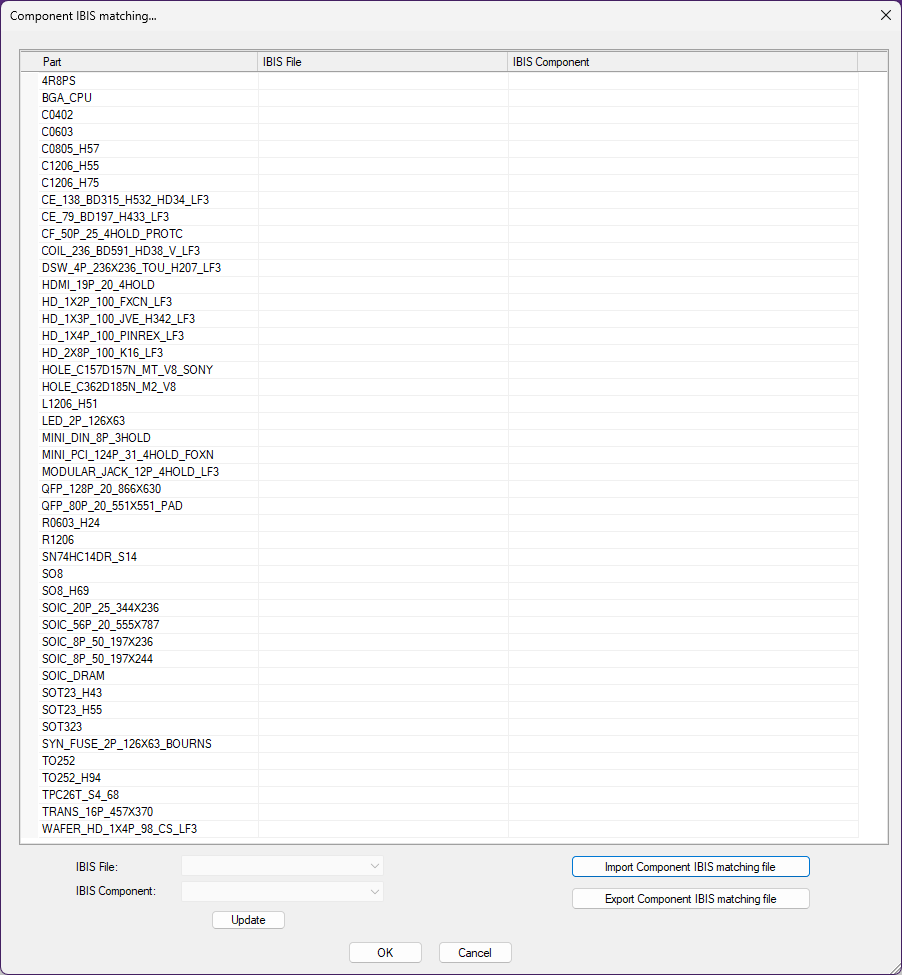
The table lists all board components by Part name (not individual reference designators). If a part already has an IBIS assignment, it appears prepopulated in the IBIS File or IBIS Component row.
Note:The Component IBIS Matching window does not automatically assign IBIS components to parts. Initial assignments must be made manually or imported from a *.csv file. Assignment may have also occurred in the Properties window or at pin-level. Refer to Defining IBIS Models for Pins.
Each cell in the table acts as a drop-down menu. From here, do the following:
Use the drop-down menus to browse all IBIS files and components available in the buffer directory. Selecting a component automatically pulls in its associated IBIS file.
Select multiple rows to assign the same IBIS model to multiple parts. Make selections from the drop-down menus beneath the table. This applies the selection to all highlighted parts.
Click Update to apply changes to the table.
To export the current IBIS assignments, click Export Component IBIS matching file. Only parts with IBIS data will be written to the *.csv file.
To import a previously saved matching file, click Import Component IBIS matching file. The grid updates with the new assignments.
Note:After importing a *.csv file, all components sharing the same part number (e.g., U1, U3) will be populated with the specified IBIS File and IBIS Component name. Only the rows listed in the imported *.csv file will be updated. Existing assignments for parts not listed in the file remain unchanged. To unassign a part, include its row in the *.csv and leave the IBIS File and IBIS Component fields blank.
Click OK to save changes and close the window. All reference designators associated with each part will be updated accordingly.
Click Cancel to discard all changes.
To perform the same operations via script:
- Use
ScrExportIbisPartsMatchingFile(<full_filepath_to_csv>)to export the current IBIS assignments. - Use
ScrImportIbisPartsMatchingFile(<full_filepath_to_csv>)to import and apply IBIS assignments from a CSV file.