
TAU 2D Skin Depth Layer Mesh Generation
For this mesh generation method, the number of layers and the thickness can be specified by selecting one or more body edges. They will be exactly respected in the TAU mesh unless the layer thickness is too large, or layers from other directions overlap, intersect, or leave a narrow gap.
The layer mesh starts from the specified edges, and advances toward the direction of the body region layer-by-layer. If two bodies contact each other, the edges from these two bodies at the contact region may coincide, appearing as one edge even though there actually are two or more edges. Therefore, be careful when picking the edges in multiple body contact regions. In such cases, it is recommended that you hide all other bodies and only display the desired body, then make the edge selections. Remesh technology is then used to generate the mesh on the edges based on the thickness of the first layer to maintain the mesh quality.
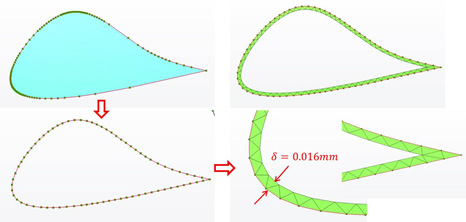
The aspect ratio in the layer mesh is defined by the element length in the tangential and normal directions. The ratio will be in the range of 1 to 40 based on the smallest thickness in the layers. Different layer mesh methods are using depending on the ratios. If the ratio is smaller than 4.0, the middle points of the edges are used to advance layers forward as shown below.
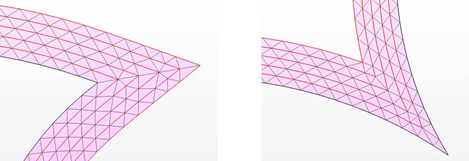
If the ratio is more than 4.0, edge points are used to advance layers.
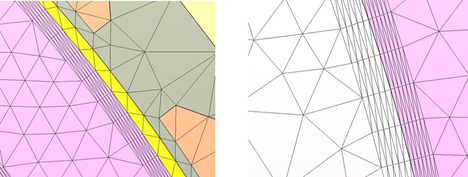
Messages are displayed if the thickness is too small or too large.