
Importing AEDTI Files
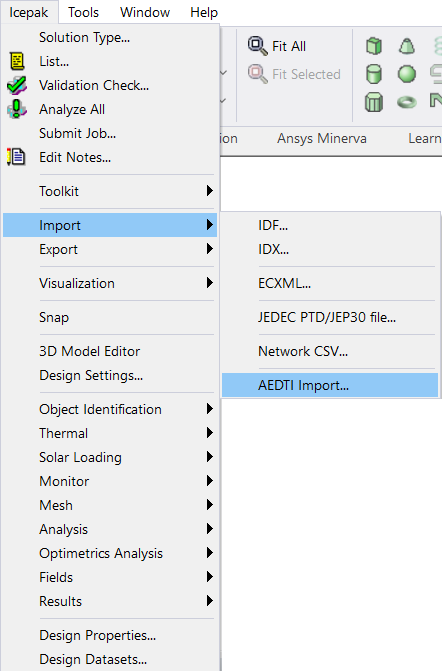
Icepak can import AEDTI files, which are generated by Ansys Discovery. AEDTI files contain geometry, boundary condition, and components. To import an AEDTI file, select Icepak > Import > AEDT Import.
Note:
You can also access the import menu by right-clicking on the design in the Project Manager. Alternatively, you can drag an .aedti file into Electronics Desktop's 3D Modeler window to open it.
AEDTI File Object Conversion
The following tables contain details about how Ansys Discovery Fluid Flow and Solid Thermal boundaries are converted in Ansys Electronics Desktop.
Important:
Limitations are displayed in the warning messages when exporting in Discovery.
Fluid Flow Boundary
| Discovery | Electronics Desktop |
|---|---|
| Velocity | Opening |
| Flow velocity with swirl | 2D fan |
| Fluid fan | 3D fan |
| Fluid fan with constant pressure rise and gauge pressure | Opening |
| Rotating fluid zone | Fluid block with MRF enabled |
Solid Thermal Boundary
| Discovery | Electronics Desktop |
|---|---|
| Insulated | Adiabatic plate with emissivity values assigned to the surface material |
| Heat | 2D source or 3D block |
| Convection | Wall for 2D assignments and block for 3D assignments |
| Wall | Stationary wall |
| Heat flux | Wall |
| Temperature | Source with fixed temperature |
| Radiation | Wall |