
Named Probes and Properties in User Defined Outputs
For more information on user-defined outputs (UDOs), please visit the User-Defined Outputs (UDOs).
UDOs allow processing data across traces, solutions, and report types. A UDO specifies the named probes and properties for which user selects or enters the values at the time of creation of user-defined solution. Probes are very similar to traces except that the user selects the values of only intrinsic variables for probes. The values of design or project variables are selected when a trace is created based upon the user defined solution in reporter.
For example, you could create a user-defined solution called EyeTiming_1.
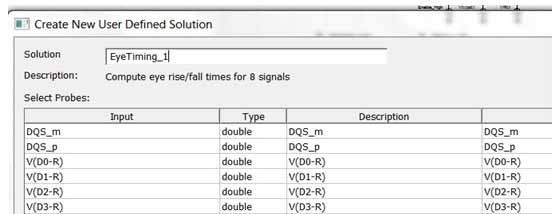
You can then access this solution in the Reporter.
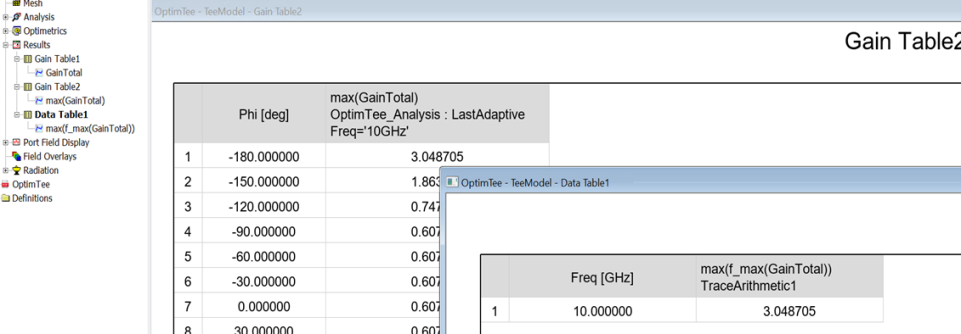
In another example, you could create a user-defined solution called UDS Distance Trace Arithmetic Result1:
Then access this solution in the Create User Defined Solution menu:
The Trace Arithmetic feature is built into the User Defined Output capability to allow quantities from multiple Solution Contexts to be combined into a single User Defined Solution (and outputs probe data without modification). Previously, sweep reduction functions were only applied to values to the primary sweep within a trace; with the Trace Arithmetic feature, reductions across sweet are now achievable.
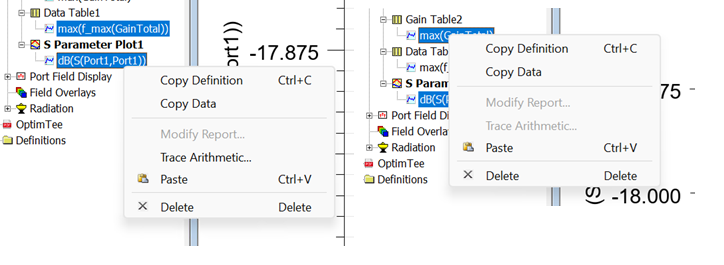
To create a Trace Arithmetic solution, select one (or more) trace and then right click on the selected trace to open the Trace Menu window. The Trace Arithmetic menu item is enabled if the selected traces have identical sweep sets.
Clicking the Trace Arithmetic item in the Trace Menu window brings up the Create User Defined Solution window that show the selected traces as the input probes.
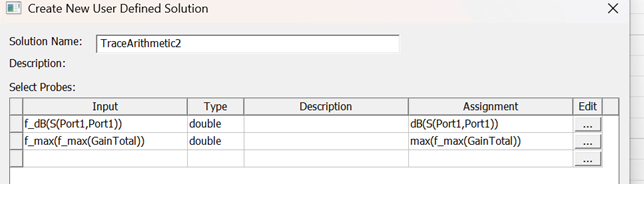
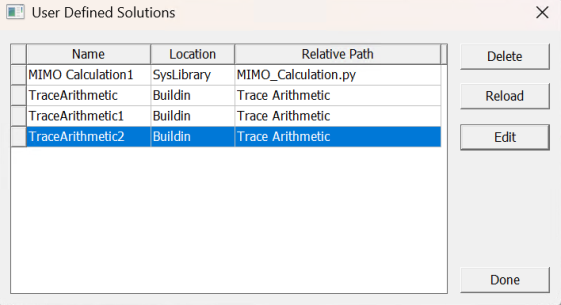
As a Trace Arithmetic solution is a built-in UDS, it can be listed, viewed, and/or edited as a UDS.
Unlike a traditional UDS, a Trace Arithmetic probe can be deleted or added, and the input probe name is editable. Click any of the "..." radial buttons under the Edit column to edit or add the assignment expression.
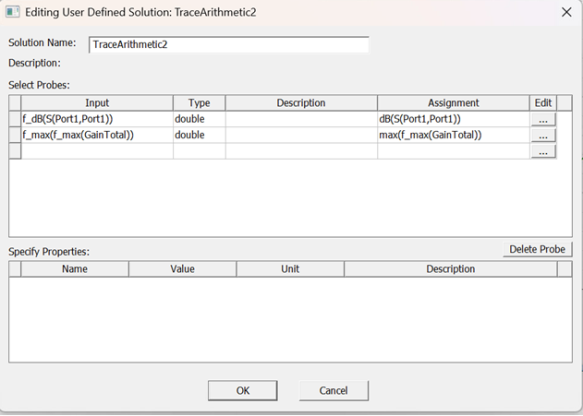
A probe assignment can be an expression using a quantity from import solution, user defined solution, and any report type solutions that have the same sweep set as the first probe.
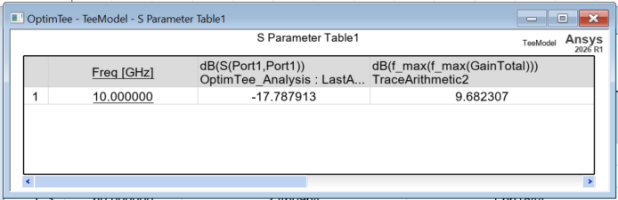
To create a report/trace using Trace Arithmetic solution, create the trace using the Trace Arithmetic solution from the report type of the first probe of the Trace Arithmetic solution.

The Trace Arithmetic solution maintains the same set of sweep variables as the input probes. For the first three sweeps:
-
Sweep values are unions within the range intersection of their respective probes ([0, 15, 30, 45, 60, 75], [-10, 0, 10, 20, 30, 40, 60] -> [0, 10, 15, 20, 30, 40, 45, 60]}
-
Missing quantity values are calculated by interpolating between neighboring values ([1.5, 2. 3.2, 5, 6, 5] -> [1.5, 1.75, 2, 2.6, 3.2, 3.6, 5, 6], [0, 2,1, 2, 5, 3, 6] -> [2, 1, 1.5, 2, 5, 3, 3.75, 6])
For the fourth sweep and up:
-
Sweep values are taken directly from the command values of their probes ([0,15,30,45,60, 75], [-10, 0, 10, 20, 30, 40,60] -> [0,30])
-
Extra quantity values are removed ([1.5, 2, 3.2, 5, 6, 5] -> [1.5, 3.2], [0, 2, 1, 2, 5, 3, 6] -> [2, 5])