
Net Visualization of Layout Components
During the import process, the ports of a 3D Layout component are transferred to nets, which are visible from the Project Manager window:
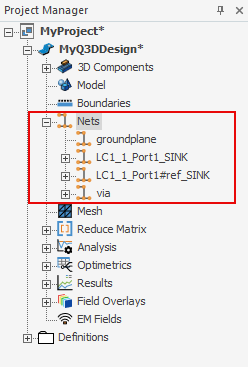
When a 3D Layout component exists in the design, right-clicking a net in the Project Manager reveals menu options to Merge Net or Split Net.
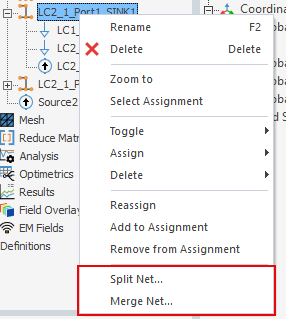
Merge and Split functions can be completed between different Layout components, or between a Layout component and the native geometry created in Q3D Extractor. Merge and Split cannot be used on nets within the same component.
Merging Nets
To merge nets:
- Right-click a net and select Merge Net.
The Merge Net window appears, listing nets that are available to merge.
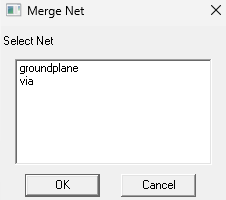
- Select a net to merge and click OK.
The net is merged and the number of nets is reduced.
Because each net can only have one sink, extraneous sinks will be transferred to sources.
Splitting Nets
To split nets:
- Right-click a net and select Split Net.
The net is split and the number of nets increases.
Q3D Extractor does not retain merge history, so if multiple merges were performed, a split action will split all layout components' nets.
Additional Information
For more information about nets, see: Working with Nets and Terminals in Q3D Extractor