
VHDL-AMS Editor Window
The VHDL-AMS editor window displays entity and architecture declarations for the current VHDL-AMS Model project. Click the tabs at the bottom of the window to select an entity or architecture declaration for editing.
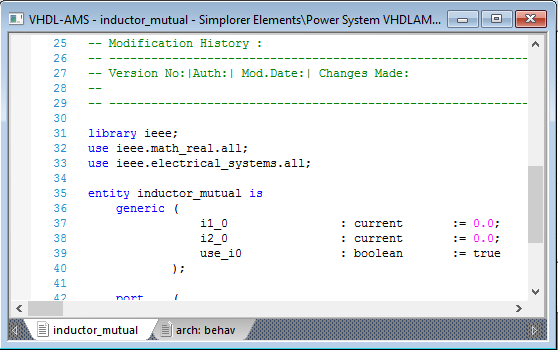
The editor provides automatic syntax highlighting as follows:
- VHDL-AMS statement and declaration keywords are blue.
- Comments are green.
- Numerical values are magenta.
Right-click in the editor window to open the VHDL-AMS editor context menu.
Note:
The VHDL-AMS editor context menu commands given below are also used in other Twin Builder text editors such as the SML, C, and SPICE model editors.
In addition to standard Cut, Copy, Paste, and Select All commands, other context menu commands include:
- Comment Line(s) – Select one or more lines of code in the editor and apply this command to change the code lines into comment statements.
- Uncomment Line(s) – Select one or more commented lines of text in the editor and apply this command to change the lines into code statements.
- Find – Open the Find dialog box in which you can enter strings to search for in the editor window. You can make the search case-sensitive, as well as control the direction of the search relative to the current cursor position.
- Replace – Similar to the Find command and dialog box, with the additional capability to include a Replace with string.
- Go To Line – See Going to a Numbered Line for details.