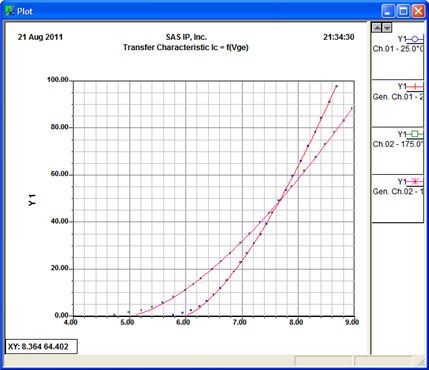
Plotting Characteristics Data
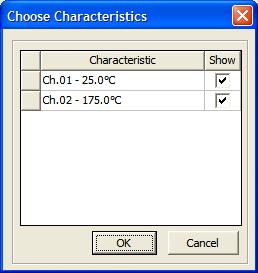
- Click Show Results on the Transfer, Output, or FWD wizard pages. The Choose Characteristics dialog box appears.
- Use the check
box in the Show column to select or exclude the characteristic data to display for any curve.
- Click OK to create a
plot using the selected curves.