
Exporting SYZ Data
To export SYZ data from within Network Data Explorer, select Save In SYZ Format on the NDE ribbon. The Save File As dialog boxappears. You can export data in any of six file types:
- Touchstone Format 1.0 (*.s*p)
- Touchstone 2 Format (*.ts)
- Neutral Format (*.nmf)
- Data Table Spreadsheet (*.tab)
- MATLAB (*.m)
- Citifile (*.cit)
Select a file type and name for export. The Specify Export Options dialog box appears.
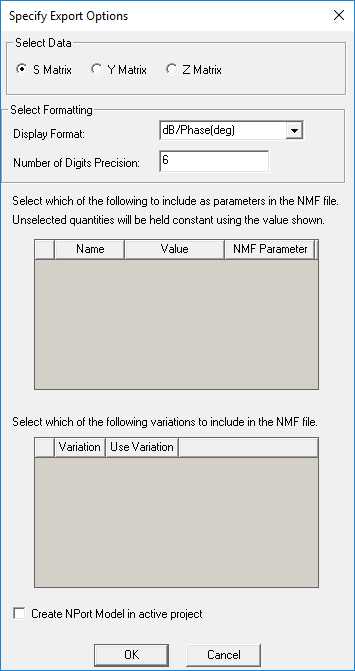
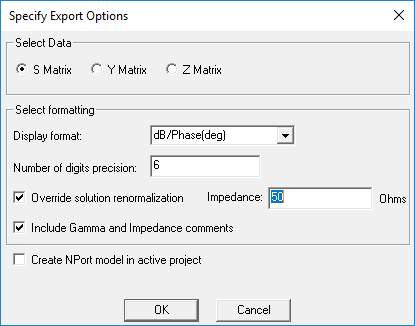
Depending on the type of export file, different options appear. You can always:
- Select from S Matrix, Y Matrix, and Z Matrix data.
- Select the Display Format.
With some file types, you can create a Twin Builder component in the active project.