
Adding Models
You can add additional models to a C-Model project to create a multiple-model DLL. Follow this procedure to add an additional model:
- Click C-Model Editor > Add
Model. The Edit Model dialog box
appears with Model selected in
the tree view.
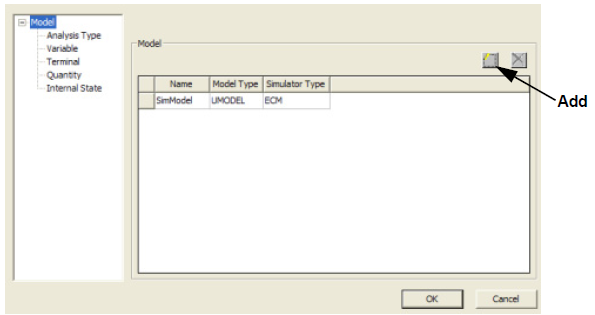
- Click Add to add a new entry to the list in the Model field.
- Enter a name for the new model in the Name field.
- Select the Model Type you are adding.
- Select the model Simulator Type.
- If you want to add more models, repeat Steps 1 through 4 for each model.
- Click OK to add the models.
Click OK, and the C-Model Wizard generates the AddNode_State function call for the internal state in the Prepare_ function of the appropriate model.