PyAEDT (Beta)
PyAEDT is a Python library that interacts with the AEDT API to make scripting simpler for the end user. It supports all AEDT 3D products (HFSS, Icepak, Maxwell 3D, and Q3D Extractor), 2D tools, Ansys Mechanical, EMIT, Circuit tools like Nexxim, system simulation tools like Twin Builder, and layout tools like HFSS 3D Layout and EDB. Additionally, it enables the end user to have a CPython interface with AEDT. Its class and method structures simplify operation for the end user, enabling more Pythonic code while reusing information as much as possible across the various APIs.
Documentation for PyAEDT can be found online at: https://aedt.docs.pyansys.com/version/stable/
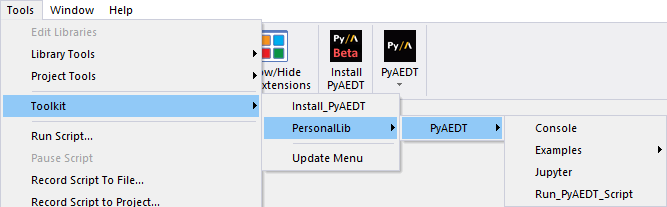
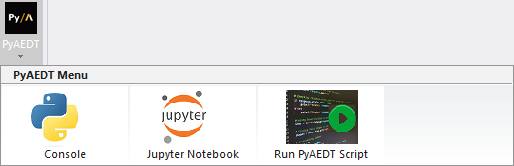
Installing PyAEDT adds three items to the Tools > Toolkit > PersonalLib menu and to the Automation tab:
- Console – launches the PyAEDT console.
- Jupyter Notebook – launches Jupyter Notebook (a computational notebook) in an internet browser.
- Run PyAEDT Script – launches a file browser allowing you to select a Python script to run via PyAEDT.
To install PyAEDT:
- From the Automation tab, click Install PyAEDT.

A web browser launches, and takes you to detailed installation instructions.
When installation is complete, the Tools > Toolkit >PersonalLib menu and the Automation tab update to display PyAEDT menu options: