
3D Component Library
The 3D Modeler lets you access predefined 3D component
libraries
- Geometry (objects and coordinate systems)
- Design data (boundaries, excitations and mesh operations)
- Material assignment and definition for components
- Component parameter, including variables used by geometries, design data, and material properties
- Optional logo or icon image to display with components in the modeler window
- Optional encryption with password definition or internal key as a password
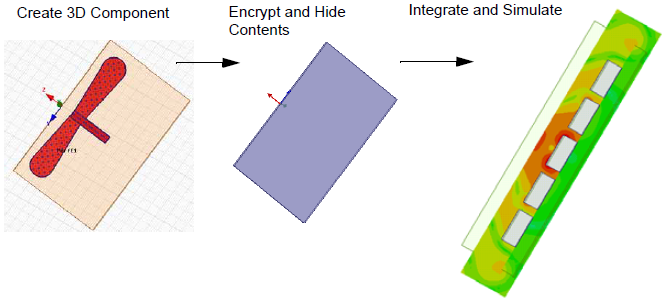
3D Component Libraries may be included as part of Electronics Desktop, downloaded from third-party vendors, or created from scratch.
The ability to create components from models lets you
easily share and reuse components. You can add components to a library
and share components with other users. Once you insert a component into
the target design, you can directly manipulate whole components
3D Component Libraries can contain components created using the Create 3D Component menu command in both Maxwell 2D and Maxwell 3D projects. 3D Components created in Maxwell 2D projects cannot be used in Maxwell 3D projects, and vice-versa.
Instances of an inserted component are grouped by definition in the model history. Multiple instances of identical components permit mesh reuse.
Except where noted, the following sections apply to component libraries and components created in both Maxwell 2D and Maxwell 3D projects.
The documentation includes the following sections:
Creating a 3D Component from an Existing Model
Replace Selection with 3D Component
Layout Component in HFSS 3D (Beta)
Inserting a Component into a Design
Using the Component Libraries Window
Viewing Properties of 3D ComponentsViewing
3D Components in the Project Manager Window
3D Components in the History Tree
Editing 3D Component Properties
Editing a 3D Component Definition
Update 3D Component Definition
Additional Show, Show Only, Hide and Fit features, helpful in working with 3D components are described here:
Fit All Objects in a View Window.
Fit Selected objects in a View Window.