Enable the Winding Editor
Setting the Winding Type property to Editor enables the command Machine > Edit Layout on the menu bar. To display the Winding Editor:
- Double-click on the
button Winding Type value to display the Winding Type selection window.
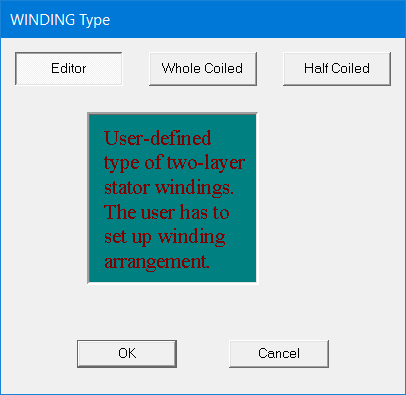
- Select Editor as the Winding
Type and click OK. This closes the Winding Type selection window and
sets the Winding Type Value to Editor. It also enables the command Machine > Winding > Edit
Layout on the menu bar. Now the Machine Editor window displays the default
winding arrangement.
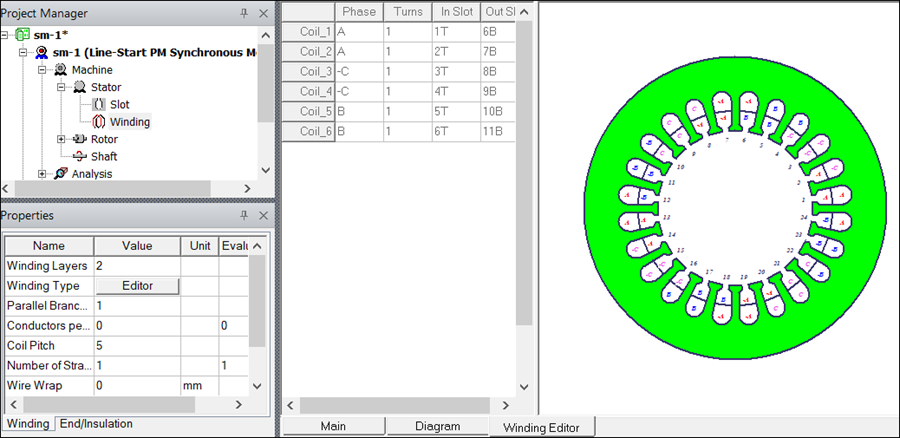
- Click Machine > Winding > Edit
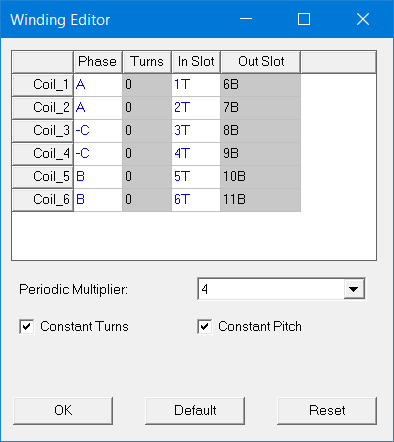
Layout. This displays the Winding Editor dialog box as shown. The
Winding Editor includes functions that do not appear in the
Winding Editor tab sheet in the RMxprt Machine Editor window.