
Specifying Varying Time Steps for Transient Solution Setups
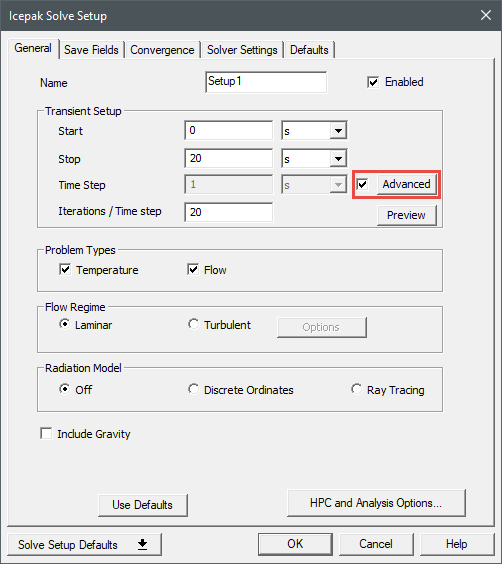
For transient solution setups, you can specify varying time steps using the Advanced Time Variations dialog box.
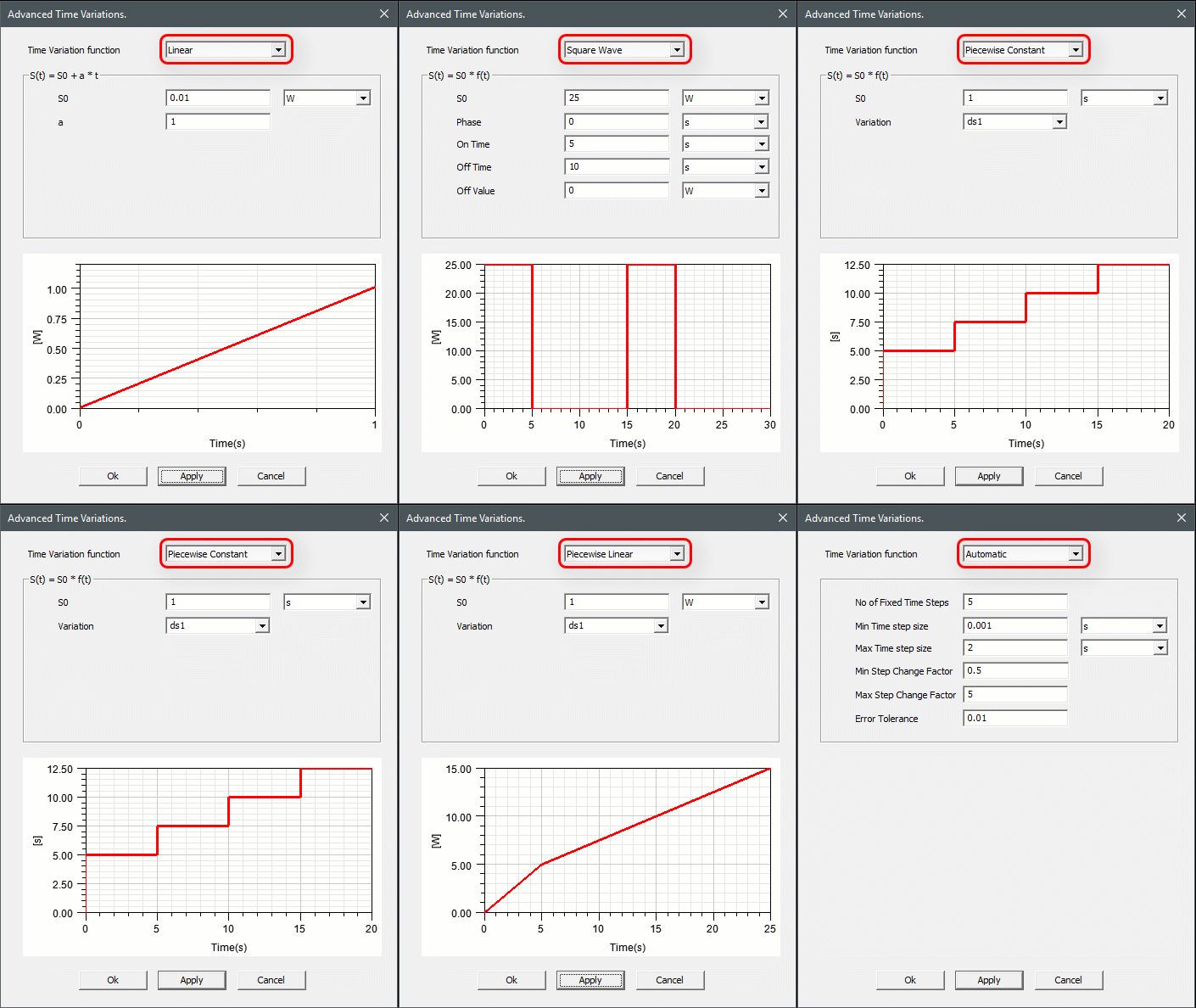
Linear
Linear specifies a linear variation of the time step with time.

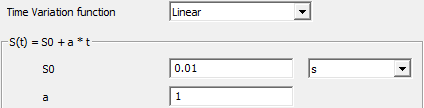
where  is the time,
  is the value of the variable at time
  ,
,  is the value of the variable at
  = 0, and
  is a constant.
Square Wave
Square Wave specifies a square wave profile for the time step variation. If the variation of time step required is regular/periodic with time, then this option can be used instead of the Piecewise Constant option.

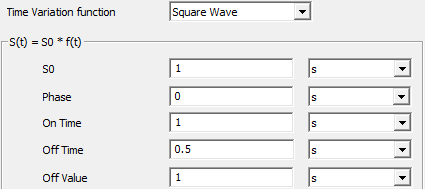
where  is the value of the variable at time
  and
and  is the value of the variable at
  = 0.
= 0.  is a function of time as shown in the following figure.
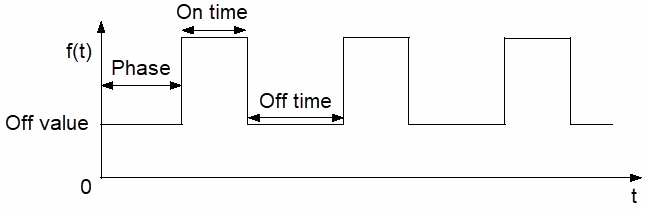
The Phase is the time between  = 0 and the first peak of the square wave. The On Time is the time that the square wave is at its peak value. The Off Time is the time between peak values of the square wave. The Off Value is the value of the square waves between the peaks of the wave. The peak value is the specified value of the transient quantity
Piecewise Constant
Piecewise constant specifies a piecewise constant variation of the time step, which uses a dataset of time/time-step pairs.

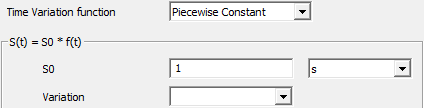
where  is a function of time,
  is the value of the variable at time
  ,
,  is the value of the variable at
  = 0. See Using Datasets to Define Transient Parameters for information on defining
  using the Add Dataset dialog box. See Using a Piecewise Constant (pwc) Function for more information.
Piecewise Linear

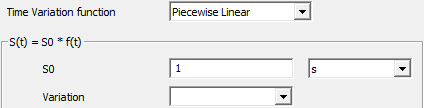
where  is a function of time,
  is the value of the variable at time
  ,
,  is the value of the variable at
  = 0. See Using Datasets to Define Transient Parameters for information on defining
  using the Add Dataset dialog box.
Automatic
Automatic time step function is determined based on the estimation of the truncation error associated with the time integration scheme. If the truncation error is smaller than a specified tolerance, the size of the time step is increased; if the truncation error is greater, the time step size is decreased.
An estimation of the truncation error can be obtained by using a predictor-corrector type of algorithm in association with the time integration scheme. At each time step, a predicted solution can be obtained using a computationally inexpensive explicit method (forward Euler for the first-order unsteady formulation, Adams-Bashford for the second-order unsteady formulation). This predicted solution is used as an initial condition for the time step, and the correction is computed using the nonlinear iterations associated with the implicit formulation. The norm of the difference between the predicted and corrected solutions is used as a measure of the truncation error. By comparing the truncation error with the desired level of accuracy (that is, the truncation error tolerance), Ansys Icepak is able to adjust the time step size by increasing it or decreasing it.
In cases where the truncation error remains above the specified tolerance, Ansys Icepak will try to meet the tolerance within 5 attempts. If this tolerance is met, then the iteration moves on to the next time step. An explicit scheme is used to predict the solution at each time step, then the explicit prediction is corrected with an implicit scheme. The truncation error, which is a function of the difference between the predicted and corrected solutions at a specific time is used to calculate the next time step. However, if the calculated truncation error is greater than the tolerance limit, we revert from the currently performed iteration, which is moving from the nth step to n+1th step by performing the iteration with a smaller time step. Since the truncation error is proportional to the time step, decreasing the time step reduces the truncation.
Specifying Parameters for Automatic Time Stepping
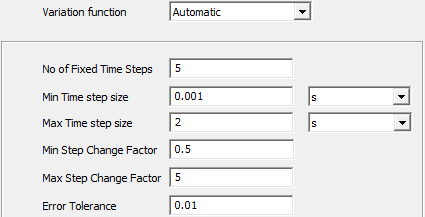
No of Fixed Time Steps specifies the number of fixed-size time steps that should be performed before the size of the time step starts to change. The size of the fixed time step is the value specified for time step. It is a good idea to perform a few fixed-size time steps before switching to automatic time stepping. Sometimes spurious discretization errors can be associated with an impulsive start in time. These errors are dissipated during the first few time steps, but they can adversely affect the adaptive time stepping and result in extremely small time steps at the beginning of the calculation.
When the solution tends to exhibit incomplete convergence, rather than increasing the time step size or keeping the same time step size in the next step, Ansys Icepak reduces the time step size by at least half for the next time step (making sure that the time step size does not go below the specified minimum time step size.
Min/Max Time step size specify the upper and lower limits for the size of the time step. If the time step becomes very small, the computational expense may be too high; if the time step becomes very large, the solution accuracy may not be acceptable to you. You can set the limits that are appropriate for your simulation.
Min/Max Step Change Factor limit the degree to which the time step size can change at each time step. Limiting the change results in a smoother calculation of the time step size, especially when high-frequency noise is present in the solution. If the time step change factor, , is computed as the ratio between the specified truncation error tolerance and the computed truncation error, the size of time step is computed as follows:
- If
 ,
, is increased to meet the desired tolerance.
 - If
 ,
, is increased,
but its maximum possible value is
is increased,
but its maximum possible value is  .
. - If
 ,
, is unchanged.
 - If
 ,
, is decreased.
Error Tolerance specifies the threshold value to which the computed truncation error is compared. Increasing this value will lead to an increase in the size of the time step and a reduction in the accuracy of the solution. Decreasing it will lead to a reduction in the size of the time step and an increase in the solution accuracy, although the calculation will require more computational time. For most cases, the default value of 0.01 is acceptable.