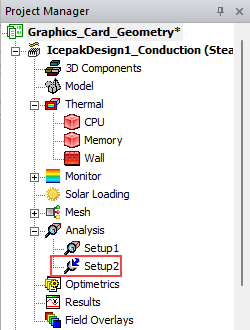
Adding a Mesh Linked Solution Setup
An Icepak solution setup can use mesh from an existing Icepak design. You can create a linked solution setup from the right-click menu.
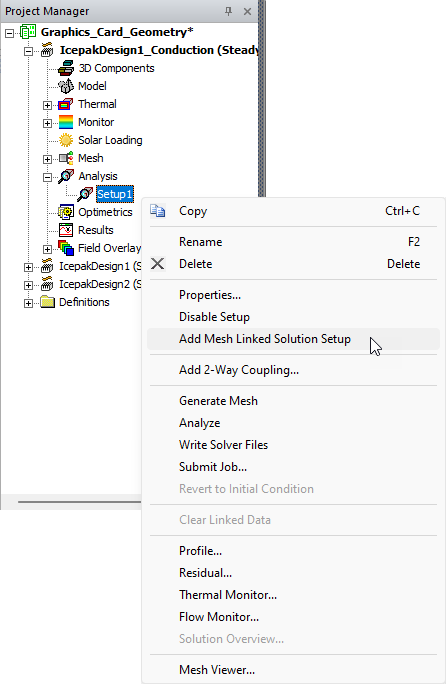
In the Project Manager under Analysis, right-click on a solution setup and select Add Mesh Linked Solution Setup.
Note:
A solution setup's right-click menu contains the Mesh Viewer option. Click Mesh Viewer to display the mesh specific to the selected setup.
The linked solution setup is displayed in the Project Manager. For more information on importing mesh in the Icepak Solve Setup dialog box, see Importing Mesh.