
Defining Anisotropic Tensors
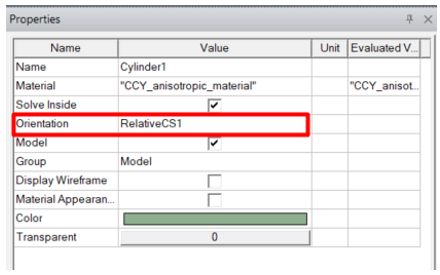
If a material property is anisotropic, its characteristics are defined by its anisotropy tensor. Each diagonal represents a tensor of your model along an axis. These tensors are relative to the coordinate system specified as the object’s Orientation property (when supported). Otherwise, the tensors conform to the global Cartesian coordinate system. By specifying different orientations, several objects can share the same anisotropic material but be oriented differently. Spherical and Cylindrical tensors must be converted to Cartesian coordinates, as described below. In such cases you must specify the coordinate system carefully.
Note: Spatial-dependent material properties are calculated according to coordinates in the ‘Orientation CS’.This CS should be set carefully.
Assigning Anisotropic Tensors
To assign anisotropic tensors to :
- From the View/Edit Material window, use the Type drop-down menu to select Anisotropic.
- For each of the new anisotropic property rows, use the Type drop-down menu to select either Simple or Nonlinear (when supported). This setting determines the type of Value you can enter.
- In the Value field, enter the . along each axis of the material’s tensor.
- Click OK to save the values and return to the Select Definition window.