
Assigning Boundaries in the GUI
Boundaries are assigned to 2D object in a model or on the surfaces of 3D objects.
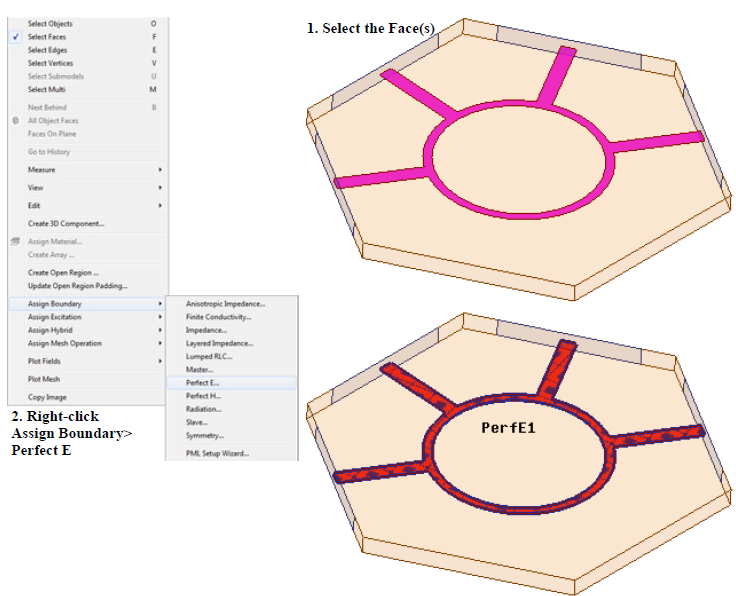
Perfect E Boundary assignment
To assign a boundary to a 2D object or 3D face, press the F key to enter face selection mode and select the appropriate 2D object or 3D face. Once all the desired faces have been selected, simply right-click and select Assign Boundary. Finally, select the desired boundary. Alternatively, once all the faces have been selected, a user can click the menu item HFSS near the top and go to Boundaries> Assign > and select the desired boundary.
Note: If you want to assign a common boundary to multiple faces, first select the multiple faces by holding the CTRL key and in the same way assign the boundary.