
Setting the Grid Type
- Click View > Grid Settings.
The Grid Spacing dialog box appears.
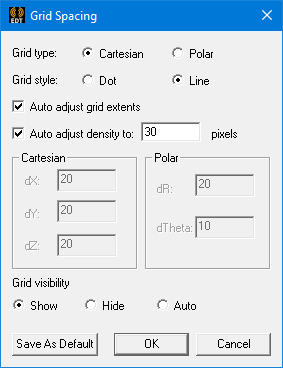
- Select a grid type for the active Modeler window: Cartesian
for a rectangular grid or Polar for a circular grid.
The grid in the active view window is centered at the origin of the working coordinate system.
For Cartesian grids, you define a coordinate by specifying its distance from the origin along each axis in the X, Y, and Z text boxes or its relative distance from the previously selected point in the dX, dY, and dZ text boxes.
For polar grids, you define a coordinate by specifying its radius from the origin in the R text box and its angle from the x-axis in the Theta text box or its relative distance from the previously selected point in the dR and dTheta text boxes.