
Assigning Frequency Dependent Material: Multipole Debye Model Input
When you select Multipole Debye Model Input as the model for the frequency dependent material property, the Multipole Debye Model Input window appears.
From this window, you can enter material property values and view a property vs. frequency plot.
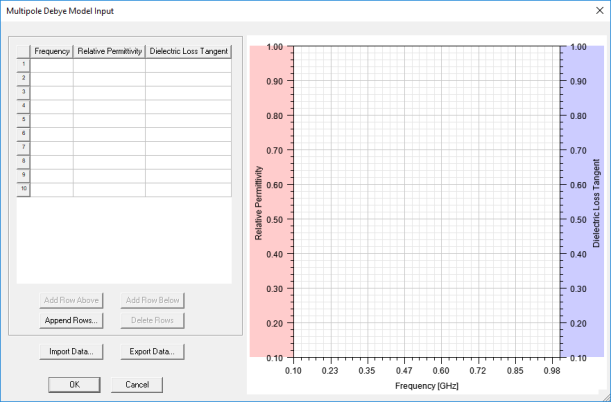
The window contains a table that allows you to specify Frequencies, and the material's Relative Permittivity and Dielectric Loss Tangent at each frequency.
- The minimum value for Frequency is 0. There is no upper limit.
- The minimum value for Relative Permittivity is 1. There is no upper limit.
- The minimum value for Dielectric Loss Tangent is 0. There is no upper limit.
- To get good results, provide at least 5 frequency points.
Enter data values manually, or click Import Data to import data from a *.tab file.
Below is an example of the file format. Each row provides Frequency (assumed to be Hz), Permittivity, and Loss Tangent.
0.00001 3.8136 0.00128
0.00010 3.7914 0.00520
0.00100 3.7500 0.00700
0.01000 3.7119 0.00700
0.10000 3.6742 0.00700
1.00000 3.6354 0.00700
2.15444 3.6346 0.00702
3.17000 3.6325 0.01073
4.64160 3.6186 0.01500
10.0000 3.5777 0.01750
21.5444 3.5458 0.01750
26.0000 3.5383 0.01750
46.4160 3.5148 0.01750
50.0000 3.5119 0.01750
As you enter data, the plot updates. The input data is linearly interpolated using the Multipole Debye model.
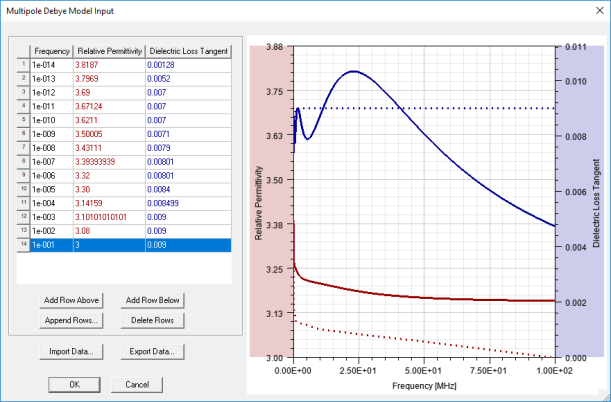
Double-click any plot element to change its properties (color, units, scaling, etc.).
To export the dataset in *.tab format for later use, click Export Data.