
Generate Near Field Data File
Generate the *.nfd file from your existing data or from solved HFSS design with near fields using the following steps.
- Right-click the previously created near-field
Sphere or Line1 under Radiation
as shown below.
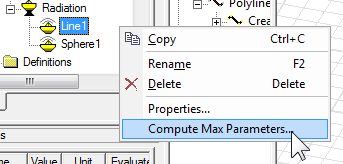
- Select Compute Max Parameters.
- The Max Field Data
dialog box appears for the selected Line or Sphere as shown below.
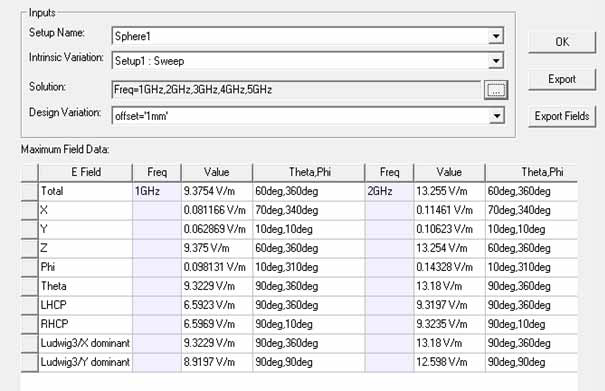
- Click Export Fields and save the file in the .nfd format.
You can use an *.and file to refer to one or more *.nfd files to describe near fields.