
S-Parameter and Spice Model Imports
S-Parameter from Touchstone format files and Spice model files in standard Spice format can be imported, both by individual file selection and by automatic nearest match. When imported, the original element impedance is replaced with the S Parameter or Spice model defined impedance for each frequency. Interpolation is employed between the frequencies for S Parameter files. Any passive linear element S-Parameter or Spice model file is acceptable. Active element S-Parameters or Spice models, such as a two pin amplifier, will not be accepted for importation. Elements defined with S-Parameter or Spice model files will continue to use the nominal value for sensitivity analysis and Monte Carlo analysis.
S-Parameter Files and Spice parameters for Coilcraft inductor downloads may be found at: www.coilcraft.com/models.cfm
Once an S Parameter or Spice model is imported into an element, all analysis performed on the associated filter will use the imported S-Parameters or Spice models instead of the element impedance. S-Parameter or Spice model files that are electrically asymmetrical will post pin numbers on the schematic.
To import a specific S Parameter or Spice models files, left click on the desired element, select, "File" in the pop up Change Control Panel, select the desired file, and "OK". The name of the S Parameter file then appears above the element, as shown below in Figure 1.
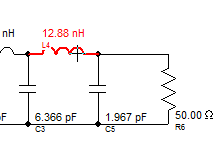
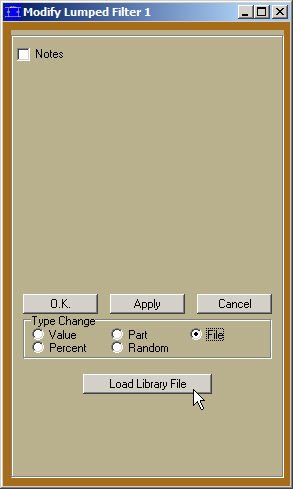
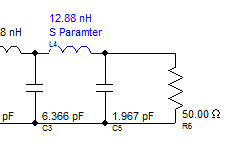
Figure 1: Selecting a Desired S-Parameter or Spice Model File
Update to Nearest Matching S-Parameter or Spice Model File
To update to the nearest matching S-Parameter or Spice model file, select "Part" and "File", as shown below, then select, "Browse" to select the desired directory containing the S-Parameter or Spice model files, as shown below in Figure 2. Select, "Menu" to bring up the manufacturer and family pop-up menu. Select any file in the Browse directory to select and define the desired directory of S-Parameter files. Once selected, FilterSolutions will remember the directory until another directory is selected by the user. Check, "All Inductors" to update all the inductors in the filter. Care should be taken to insure that all S-Parameter and Spice model files are from components valid for the frequency and power range of the designed application.
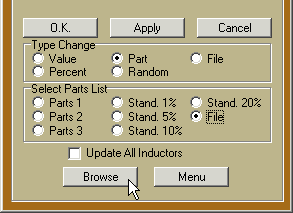
Figure 2: Update to the Nearest Matching S-Parameter or Spice Model File
Automatic Design to Nearest Matched S-Parameter or Spice Model File
To design to the nearest S-Parameter or Spice model file, select "File" or "Browse" in the upper right corner of the schematic, as shown in Figure 3 below. If a directory containing the desired S-Parameter files is already defined, select, "File". Otherwise, select, "Browse" and select any file in the Browse directory to select and define the desired directory of S-Parameter or Spice Model files.
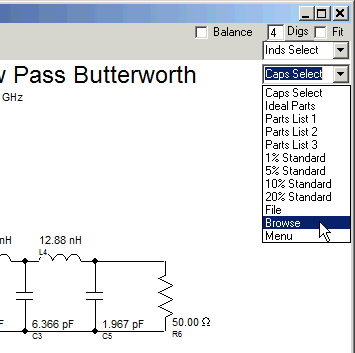
Figure 3: Design to the Nearest S-Parameter File
Parts Library Menu
Use the "Menu" option to select a family of parts from the internal parts libraries. Please refer to, "Parts Libraries" in the Table of Contents for more on this subject.