
Response Surface Tab for Design of Experiments
The Response Surface tab for the Design of Experiments Setup window lets you select the Response Surface type as Genetic Aggregation or Standard Response Surface.
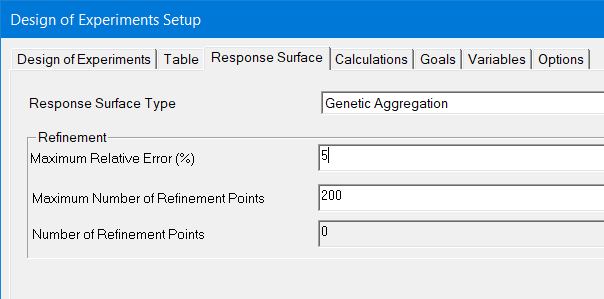
The Response Surface type selection specifies the refinement applied to the initial Design of Experiments. The Genetic Aggregation setting finds the best possible response surface for each output automatically by combining
- Metamodels
- Settings
- Kernel Variation
- Polynomial Regression
For each output, a fitness factor works to minimize error, including cross-validation errors. The automatic refinement adds design points to the DOE until the response surface accuracy meets user requirements. You can specify requirements for
- Maximum Relative Error %: This apply to all output calculations. Empty this field to turn off Auto refinement. (Note: Workbench does not have this field.)
- Maximum Number or Refinement Points: Determines the maximum number of refinement points that can be generated for use with the Genetic Aggregation algorithm.
- Number of Refinement Points: Read-only property indicating the number of existing refinement points.
If you check Show Advanced Options at the bottom of the Setup window, you can also specify Crowding Distance Separation Percentage:

This setting defines the minimum allowable distance between new refinement points; it is implemented as a constraint in the search for refinement points.
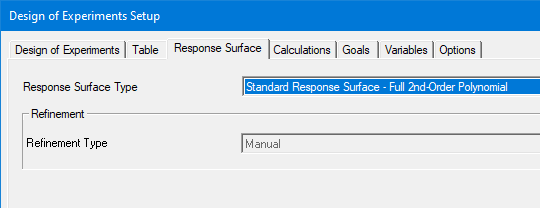
You do have the option of selecting Standard Response Surface- Full 2nd Order Polynomial:
After you have completed an analysis, you can view the generated plot.