Ansys Electronics Desktop Overview
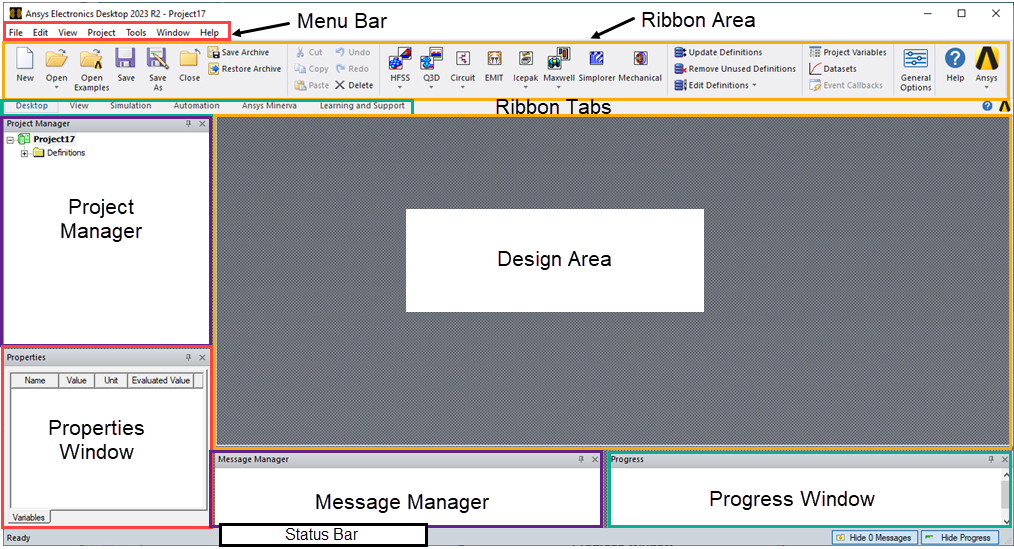
The Ansys Electronics Desktop consists of several windows, a menu bar, multitab ribbon, and a status bar. You can customize the appearance of the desktop by moving, hiding, or showing windows. Some menus, and other features, change depending on the type of project that is loaded and the editor that is active in the Design Area.
Note:
To ensure that all Electronics Desktop dialog boxes are visible on your monitor, it is recommended to not scale the display resolution above 100%.
Click an area below to learn more about that desktop component.