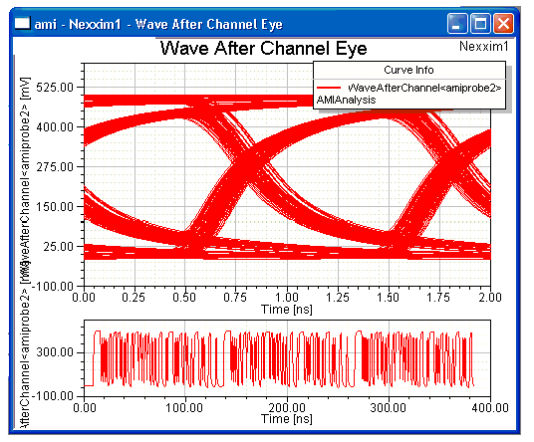
AMI Eye Diagram Waveforms
The report can show Eye diagrams of the waveform at four points in the circuit:
- The Initial Waveform shows the Piecewise Linear data input to the transmitter, including any jitter.
- The Waveform After Source shows the output from the transmitter.
- The Waveform After Channel shows the input to the receiver.
- The Waveform After Probe shows the output from the receiver.
To plot the waveforms, select Create Eye Diagram Report>Rectangular Plot. Select your AMI Analysis as the Solution ; Time as the Domain; Voltage as the Category; InitialWaveform, EyeAfterSource, EyeAfterChannel, or EyeAfterProbe as the Quantity; and <none> as the Function. The following chart shows the Waveform After Channel.