Importing IBIS EBD Files
The Ansys Electronics Desktop (AEDT)TM electronics systems design platform IBIS support allows you to import.ebd files that contain board descriptions in the form of paths. When EDB file paths are imported, a corresponding Nexxim component is created. This option is only available for Nexxim designs. To import an IBIS EBD model:
- View the Component Libraries. Open the Symbols area. Click Import Models.
- From the area, select the EBD icon to open the Import Components window.
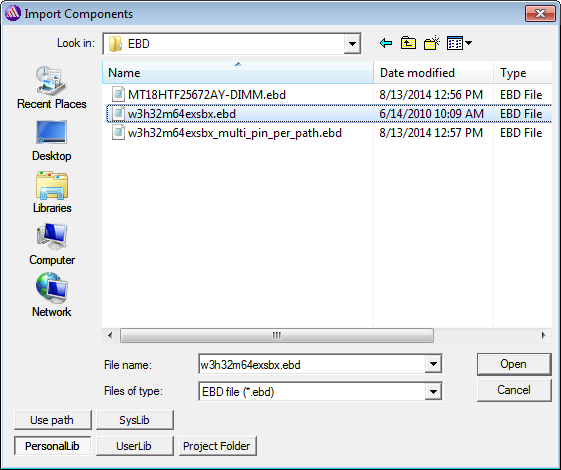
Select an .ebd file and click Open to open the following window. From the window, select boards and paths to import the file:
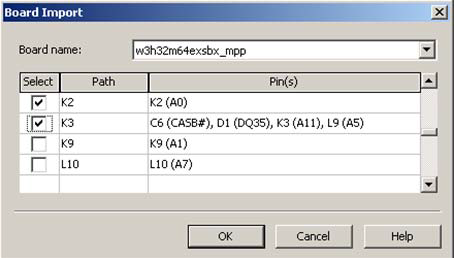
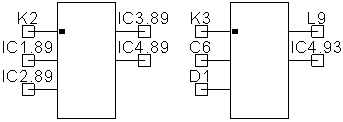
The Board name drop-down menu displays all the boards contained in the .ebd file; when a board is selected, the display grid updates to show the paths and pins contained on that board. The display grid also lists the various signal names for each pin in parenthesis. After selecting the selected paths and clicking OK, components are generated , then displayed on the Components tab and in the Definitions/Components area of the Project Tree. When placed on the schematic, the generated components resemble the following: