
Exporting Netlist Data
Follow these steps to export the netlist representation of a schematic design to a file.
-
Click Browse Netlist to make the Netlist Editor the active window.
- Click on Netlist in the top menu
bar, and select Export. The Netlist Export window opens:
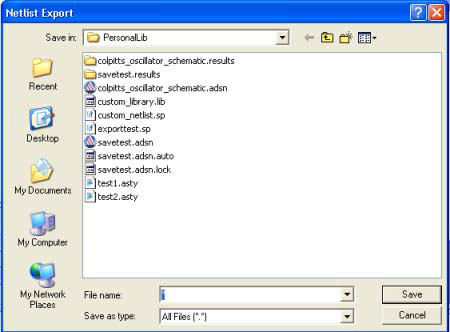
- From the Save in field, browse to an appropriate directory to save the netlist file.
- From the File name field, enter the complete name of the file, including the extension if any.
- Click Save to save the netlist file and close the window, or click Cancel to cancel the export operation without saving anything.