
Editing a Pin Group
The only changes that can be made to a pin group is to remove member pins. Also rename a pin group in the Components window.
-
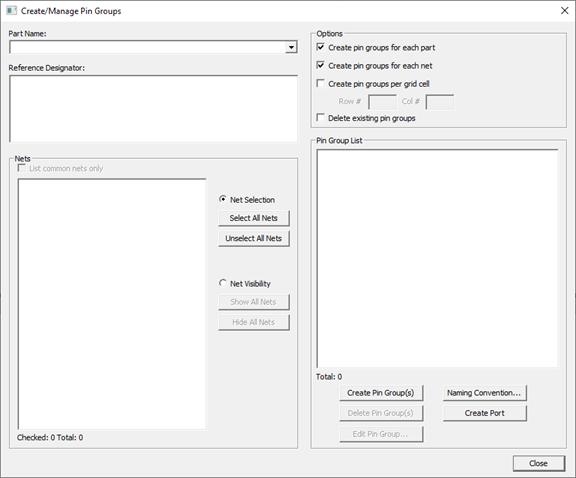
Click Draw > Create/Manage Pin Groups to open the Create/Manage Pin Groups window.
-
Select the selected pin group on the Pin Group List area.
-
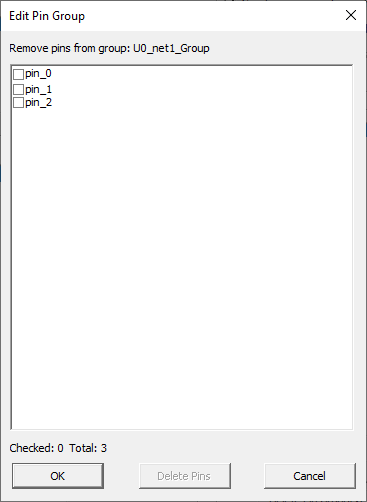
Click Edit Pin Group to open the Pin Group Editor window.
-
Select unwanted pins and click Delete Pins to remove them on the group.
-
Click OK to close the window.
-
Click Close.