
Assigning Reference Ports in the Layout Editor
Assign reference ports using the Draw > Port > Assign Reference command. Both selected edges and vias are changed to ports:
- Selected edges become edge ports
- Selected vias become pins
Assign reference ports using any of the following scenarios.
Padstack/Padstack
- Select two padstack instances.

- Navigate to Draw and select Port > Create

The first padstack selected becomes the port, and the second becomes the reference.
Edge/Edge
- Select two non-linear edge groups on the same layer.

- Navigate to Draw and select Port > Create.

The first edge selected becomes the port, and the second becomes the reference.
Edge/Padstack
- Select an edge and a padstack.

- Navigate to Draw and select Port > Create.
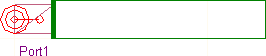
The first edge becomes the port, and the second becomes the reference.
Port/Padstack
- Select an existing port and a padstack.
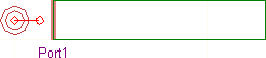
OR

-
Navigate to Draw and select Port > Assign Reference
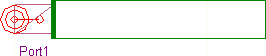
OR

The padstack becomes the reference for the port.