
Accessing Netlist Files
A netlist file contains one or more netlist statements. To add a netlist file to a schematic, expand the icon for the design in the Schematic Editor by clicking on the plus sign (+) button (the design typically has a name such as “Circuit1”). Right-click the Data icon and select Add Netlist File. The Include Netlist File window opens:
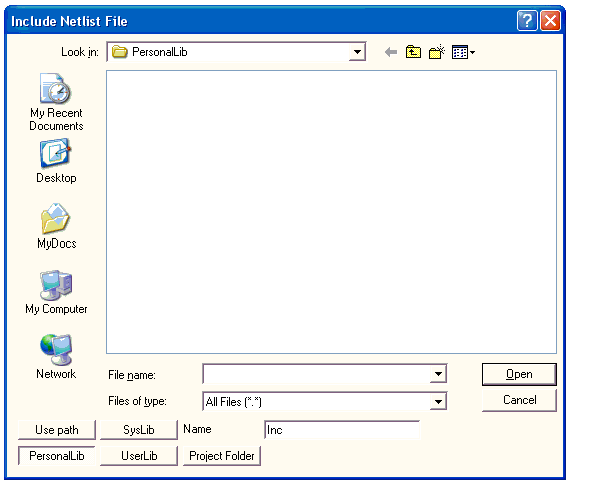
Select one of the standard folders if applicable, select the file, then click OK.
The syslib directory is reserved for libraries supplied with the Ansys Electronics Desktop (AEDT)TM electronics systems design platform
If the netlist file is not in one of the standard folders, select Use path, enter the complete path and file name. Use the Look in field to browse for the directory. When the path and file name are correct, click OK. (Note that components or libraries that are imported with Use Path may not be portable if the project is moved to another machine.)
When In project folder is selected, references to the file in the design are relative to the directory where the project resides. In this case, the path is saved in the project .adsn file as a variable such as:
.lib '$PROJECTDIR/x_113854.lib'
The variable $PROJECTDIR are expanded to the current location of the project when the design is converted to a netlist and run by an analysis tool. Otherwise, an absolute path is saved. If a project and its library files are moved to a new directory, preserve their file references by selecting the Project Folder option.