
Using Check Component Dialog
The Check Component Dialog utility is used to determine the overall completeness of a component dialog box. Specifically, the utility determines if the component dialog box provides access to all of a model's non-conservative input nodes, and if all of the dialog box's free values are used. If the component dialog box is not complete, the Component Dialog Wizard returns an error message indicating what is not complete in the dialog box.
- Start the Check Component Dialog utility by selecting Layout > Check Component Dialog on the Component Dialog Wizard menu bar.
- You can also click
Check Component Dialog on the Wizard's Layout toolbar.
The illustration below shows an example of an error message returned by the Check Component Dialog utility:
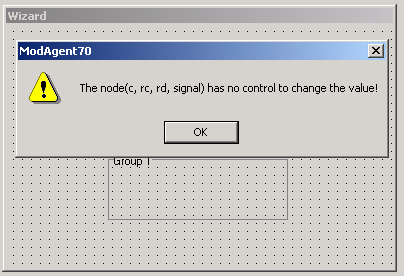
The message indicates that the non-conservative input nodes c, rc, rd, and signal are not accessible through any control element available on the component dialog box.
- To make the component dialog box complete, add control elements that connect to these non-conservative nodes.