User Defined Outputs: Introduction
User defined outputs (UDOs) let you define calculations through IronPython scripts or any .NET language (and used by the IronPython script). The UDO scripts must be in the UserDefinedOutputs directory under either of syslib, userlib, or Personallib with any directory structure needed for organization. (The Lib directory name is special and its purpose will be explained in a subsequent section.)
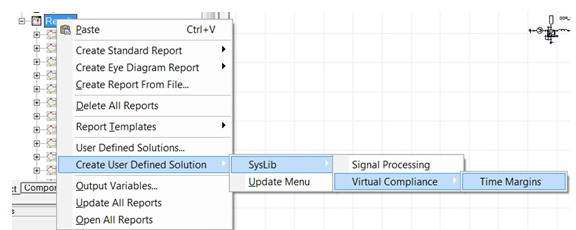
The UDO scripts in syslib/UserDefinedOutputs, userlib/UserDefinedOutputs, or Personallib/UserDefinedOutputs become available to you to create user-defined solutions through the Results > Create User Defined Solution menu. Use Results > Create User Defined Solution > Update Menu to refresh the menu to include the new UDO scripts that might have been copied to syslib, userlib, or Personallib, or exclude them if they have been deleted, after the launch of desktop. Once the user-defined solution is created, the solution and the calculations defined by UDO become available in Reporter as any other quantities in a new User Defined report type.