
The Components Tab
Use the Components tab in the Component Libraries window to browse and select schematic components from the available elements libraries. A typical Components tab is shown below. Your actual window contents will vary with the libraries installed. The installed libraries are listed alphabetically under Simplorer Elements in hierarchical folders grouped by component function. For example, the Basic Elements library expands into several categories and sub-categories as shown.
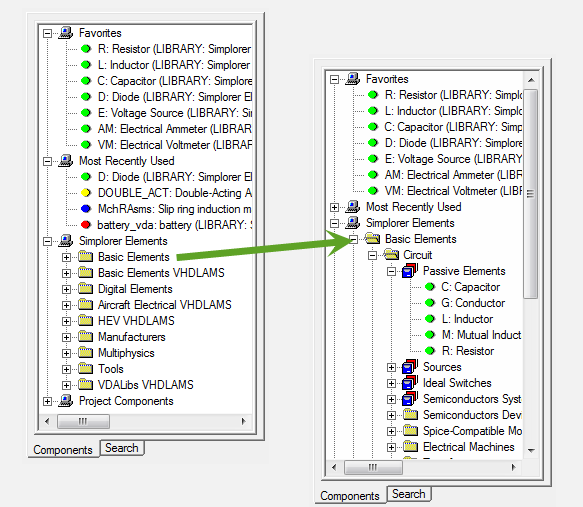
Individual elements are designated by colored symbols next to the element abbreviation and name.
Right-click a component to:
- Add the component to the Favorites list.
- Place the component on a schematic.
- Edit the component.
- View component help.
- Load the example project (if one exists) for the selected component.