
The Bottom-Up Approach
- Start Twin Builder, if it is not already running.
If Twin Builder is already running, select File > New to create a new project.
- Insert a design in the default new project or new project you created by selecting Insert Twin Builder Design on the Project menu.
-
In the Project Manager pane, right-click the new Twin Builder design and select SubCircuit > Add SubCircuit.
- Repeat step 3 for each subdesign you will need.
- To build the hierarchy:
- In the Project tree, drag the design icon for the design that you want to become a subdesign and drop it on the parent design.
The Paste Design Options dialog box opens.
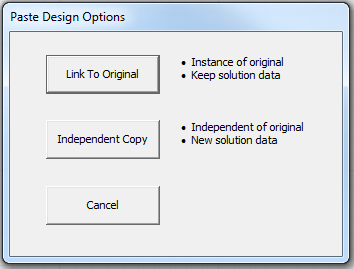
- Click Link to Original to keep the design linked to the original and keep its solution data, or click Independent Copy to make the design independent of the original and create new solution data for it.
A symbol representing the subcircuit appears in the parent schematic. You can place and wire it as desired.