
Page Properties and Display Tab
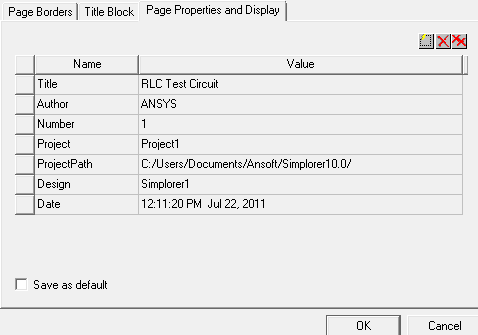
Page properties include fields such as
ProjectPath, Project,
Design, Title,
Author, and Date.
Click a Value field and enter
the desired information. Data entered in fields used by the title blocks
appear in the title block on the schematic. Page properties are saved
if the Save as default check box
is selected, then initialized when you create a new page. Click  to create additional page properties.
In the symbol editor, a propdisplay may be added to a title block symbol, and the title block propdisplay will then show the value of the page property with the same name.