Creating a Variable by Dragging a Type Object
Create a variable in Modelica for Type objects by dragging the object onto the Diagram Editor.
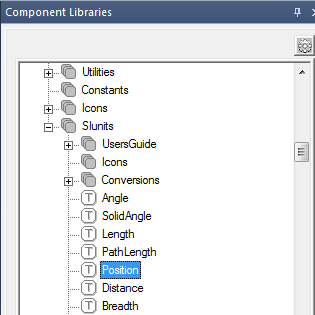
- Select a Modelica Type object such as SIunits > Position.
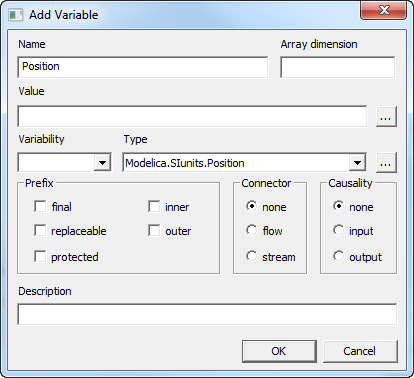
- Drag the object to the Diagram Editor. The Add Variable dialog box opens with the Name and Type boxes defined:
- Edit the options as needed.
- Click OK.