Creating a Variable by Editing the Component Parameter Properties
Create a variable in Modelica by editing the value in a component's parameters Properties dialog box.
Note:
You can also use this method to select multiple components that have common properties and create a variable to change values in all selected instances.
- Select a Modelica object and drag it into the Diagram Editor.
-
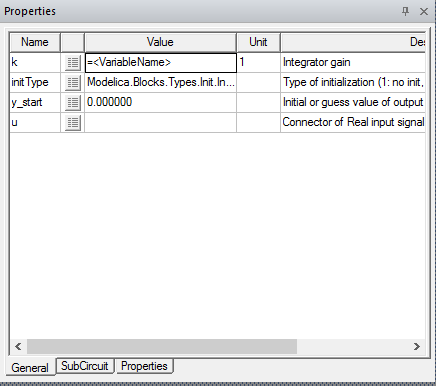
Enter a variable name in the Value field in this format: =<[VariableName]>, as in the following example.
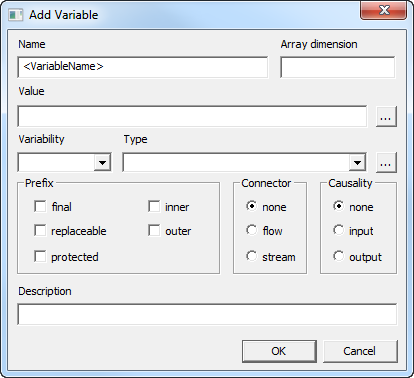
- Press Enter. The Add Variable dialog box opens.
- Edit the options as needed.
- Click OK.