
Editing Libraries, Packages, and Models
To include libraries, packages, and models in a VHDL model, select Edit Libraries and Packages in the VHDL Model Editor menu. The Edit Model dialog box appears:
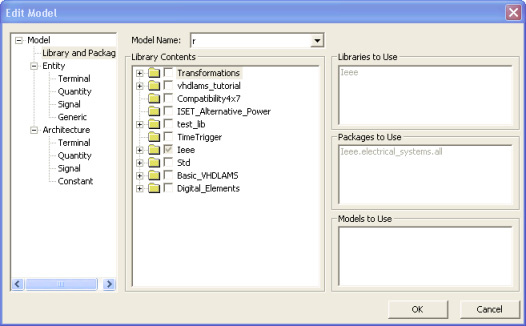
- Select the name of the appropriate model from the list in the Model Name field.
- In the Library Contents section, select the libraries, packages, and models to include in the VHDL model.
- Click OK.
VHDL-AMS code for the necessary LIBRARY and USE statements is added to the code in the editor window.
Note:
Deselect libraries, packages, and models to remove them from a model.