
Component Dialog Box Grid
The grid provides a set of convenient reference points for placing information and control elements on the control dialog box, ensuring consistent spacing, and sizing elements.
- By default, the grid appears when the Component Dialog Wizard starts. If the grid does not display, select Layout > Show Grid. Select Show Grid to toggle display of the grid. Select Wizard > Options from the Component Dialog Wizard menu bar to adjust spacing between points on the grid.
The Properties dialog box opens.
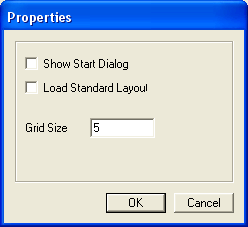
In this dialog box, enter an integer between 2 and 100 in the Grid Size field to adjust the spacing between grid points. A value of 2 provides the smallest grid spacing, 100 the largest.