
Adding a VHDL-AMS Model
Follow this procedure to add a VHDL-AMS model to a project using Twin Builder‘s VHDL-AMS Model Editor.
-
Select Tools > Edit Libraries > Models. The Edit Libraries dialog box appears.
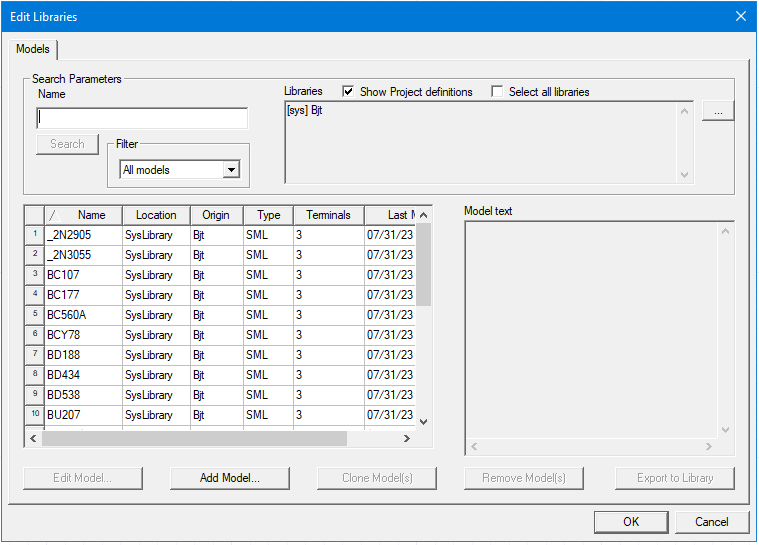
- Click Add Model to open the Add Model dialog box.
- Select the VHDL-AMS radio button.
- Type the new VHDL-AMS model name in the Name field.
The VHDL-AMS Model Editor opens, displaying new VHDL-AMS model entity and architecture declarations in separate tabs bearing the model name you chose above.
- Edit the VHDL-AMS model source code as needed.
- When finished editing, select VHDL Model Editor > Compile & Update Project to add the model to the project. See Updating a Project to Add a VHDL-AMS Model and Component for more information..
You can use Export ModelName Text As to save and export the code present in the editor.