
Adding an Array of Values for a Local Variable
A local variable is associated with a Twin Builder design. You can also add a variable defined with an array of values.
- Select Twin Builder > Design Properties.
- You can also right-click the design name in the Project tree and select Design Properties.
From the Local Variables tab in the Properties dialog box, you can Add, Add Array, Edit, or Remove variables. This section describes Add Array.

Any existing local variables are listed in the Properties dialog box with the name followed by cells for Value, Unit, Evaluated Value, Type, Description, and Read-only and Hidden check boxes. The Show Hidden check box controls the display of any hidden variables.
Initially, leave the radio button with Value selected until you define a variable. Use the other radio buttons to enable regular variables for Optimization/Design of Experiments, Tuning, Sensitivity, or Statistics. You cannot enable Array variables for Optimetrics use.
- Click Add Array. The Add Array dialog box appears.
- Specify a variable Name in the text field.
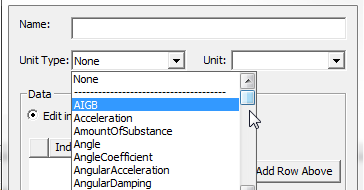
- Select a Unit Type and Units from the
drop-down lists.
- To specify the array with Edit in grid selected, click Append Rows to display the Number of Rows
dialog box.
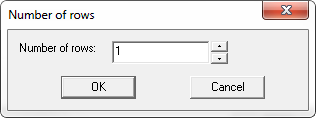
- Specify a value and click OK to display a list of indexed data rows in the Add Array dialog box. You can type any data value in the cells. If you enter alphanumeric text in a cell, it must be delimited by double quotes. Click Add Row Above, Add Row Below, or Remove Row to edit the rows relative to a row selection. All cells must contain a value.
- When you have completed the array, click
OK to close the dialog box.
The array variable is listed in the Design Properties dialog box as a local variable. The array variable value field includes the array contents in brackets with the unindexed data values delimited by commas.
If you elected to edit the array Edit in plain text field in the Add Array dialog box, the bracketed and comma delimited format is used.