
Reassigning a Mesh Operation
To reassign a previously assigned mesh setup:
- Select the object(s) to which you want to reassign the mesh operation.
- In the Project Tree, under Mesh, right-click the mesh refinement you had previously defined and select Reassign.
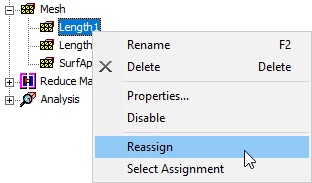
The mesh operation is reassigned to the currently selected objects.
To view the objects to which a mesh operation is assigned:
- In the Project Tree, select the mesh operation.
- Right-click the previously completed mesh refinement and select Select Assignment.
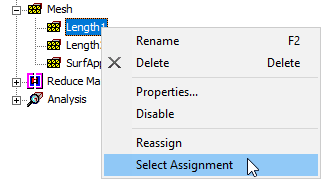
The objects to which the operation is assigned are selected in the modeling workspace.