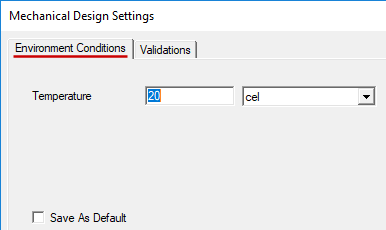
Specifying the Reference Temperature
In order to determine thermal stresses, a stress-free (also known as strain-free) reference temperature must be known for all objects. Resulting stresses are not based on the assigned or resultant temperature of the objects but rather on the difference between the assigned or resultant temperature and the specified reference temperature.
By default, the environment temperature ("EnvTemp" variable) is assumed as the reference temperature for all objects. However, in electronic assemblies, it is not uncommon for objects to be in a stress-free state at a temperature higher or lower than that of the environment. Additionally, it is not uncommon for different components to be stress-free at different temperatures. For example, 63% tin / 37% lead eutectic solder melts and freezes at 183° C. After solidification, the solder cools and, in so doing, experiences thermal contraction. This thermal contraction is resisted by the adjacent objects to which the solder is bonded, which may be expanding or contracting at a different rate. This phenomenon results in a state of residual stress when the board is cooled to room temperature. In such cases, the resultant stresses actually decrease as the assembly is heated. Conversely, objects that are mechanically assembled at room temperature, such as by fasteners, will be stress-free at room temperature, and stresses for these objects will increase as the assembly is heated.
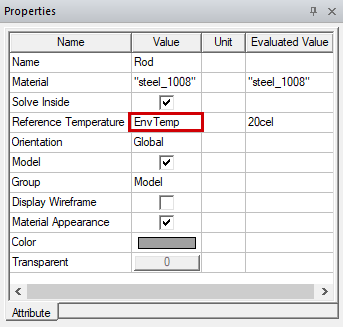
The reference temperature is an object attribute and is defined in the docked Properties window:
Or, alternatively, it can be defined in an object's Properties dialog box (select the object, right-click, and choose Edit > Properties):
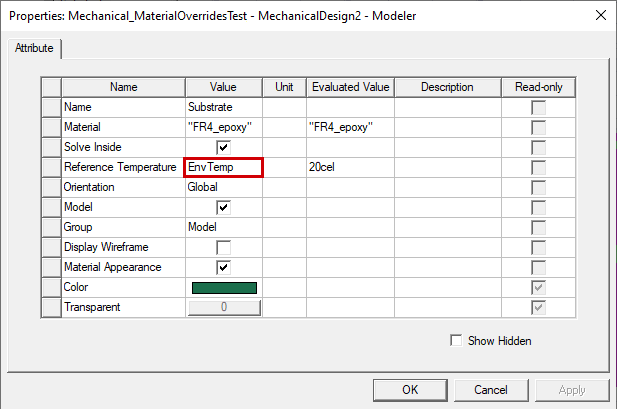
You only need to specify the Reference Temperature value when it differs from the default EnvTemp value. You can also alter the global EnvTemp value if a majority of objects share the same stress-free temperature.
You can specify the Reference Temperature using any of the following five forms:
- The default EnvTemp variable, which is a global design setting
- A numerical temperature value with units (such as 183cel)
- A user-defined design variable (such as Ta)
- A user-defined project variable (such as $Tf)
- An expression comprised of constants, variables (either design or project type), and operators, for example: (Ta-ln($Tf^2))/1.5
To change the global EnvTemp value:
- Access the Mechanical Design Settings dialog box using one of the following two methods:
- In the menu bar, click Mechanical > Design Settings.
- Right-click the structural design heading in the Project Manager [MechanicalDesignx (Structural), by default]. Then, choose Design Settings from the shortcut menu.
- In the Environment Conditions tab, specify the desired Temperature value and append the units (or use the adjacent drop-down menu to choose the Units).
- Click OK.